
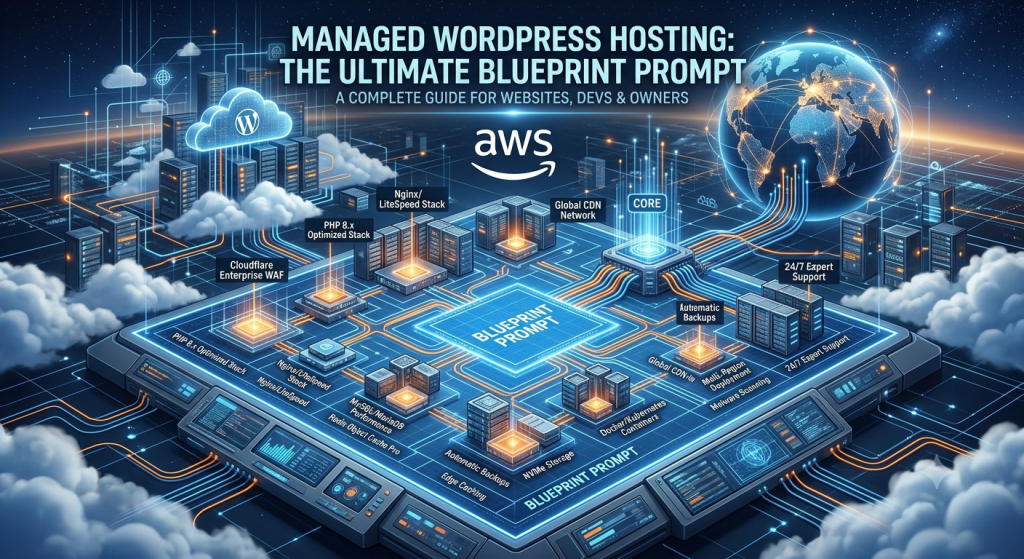
Managed WordPress
Hosting: The Infrastructure
Empire
Four audiences. One definitive guide. From shared-hosting escape to enterprise-grade WordPress infrastructure — the full technical picture for developers, agencies, and serious site owners.
- Deconstructing Managed WordPress Hosting
- The Infrastructure Layer: What Powers High-Performance Hosts
- The Enterprise Tech Stack: Server-Side Optimization
- Security as a Core Primitive
- Developer & Webmaster Workflows
- Editor’s Pick: Kinsta & WP Engine
- The Full List: Top 50 Managed WordPress Hosts
- The ROI Matrix: Choosing Based on Use Case
- The Architectural Audit Checklist
Deconstructing Managed
WordPress Hosting
Strip away the marketing copy. Managed WordPress hosting is a specific operational and architectural contract between host and tenant — one that fundamentally changes who owns what part of the stack.
The term “managed WordPress hosting” is systematically abused by the hosting industry. A reseller wrapping a generic cPanel shared environment in WordPress-themed branding is not managed hosting. Managed WordPress hosting is defined by three architectural realities: platform specialization (every layer of the stack optimized exclusively for WordPress), operational transfer (the host assumes responsibility for server security, patching, caching, and performance tuning), and isolation (your workload is meaningfully separated from neighboring tenants at the kernel, network, or container level).
The Shared Responsibility Model
Borrowed from AWS’s cloud security framework, the shared responsibility model in managed hosting defines the hard boundary between platform and tenant. Understanding this boundary prevents the two most common failure modes: over-trusting your host on things they don’t actually manage, and wasting resources managing things they do.
Tenant-managed (you own it): Plugin selection, plugin updates, theme code quality, application-level security configuration, database schema and query optimization, content and media, access control and user management, code deployed via Git or SFTP.
Most security incidents on managed WordPress hosts originate in the tenant-managed layer — specifically, outdated or malicious plugins and themes. The host’s WAF can catch known exploit signatures, but a backdoored plugin with a valid code signature bypasses most automated defenses. The shared model’s implication: managed hosting buys you significant operational leverage, not invulnerability.
For a full breakdown of how cloud infrastructure layers relate to WordPress hosting, see wphostfinder.com/wp-infrastructure.
| Vector | Shared Hosting | Self-Managed VPS | Managed WP Hosting |
|---|---|---|---|
| Performance Isolation | None — noisy neighbor problem; shared CPU, RAM, I/O with hundreds of tenants | Full — dedicated vCPU/RAM, but you tune it | Container or VM-level isolation; PHP workers allocated per account |
| Security Protocols | Host-level only; cross-account contamination risk in multi-tenant environments | You manage: firewalls, fail2ban, ModSec, OS hardening | WAF + DDoS at edge; kernel-level isolation; auto-malware scan; zero-day patching |
| Caching Architecture | Plugin-based only (WP Super Cache, W3TC); no server-level cache | You configure Nginx FastCGI / Varnish / Redis manually | Full-stack: OPcache + Redis + server-level page cache + CDN edge cache |
| Dev Tooling | FTP, phpMyAdmin, cPanel. No staging, no SSH on most plans | Full SSH root; you configure everything | One-click staging, bidirectional push/pull, SSH, WP-CLI, Git deploy hooks |
| WordPress Updates | Manual or plugin-dependent | Manual | Automated core + security updates; smart plugin update queuing |
| Typical TTFB (cached) | 300–800ms | 50–200ms (tuned) / 400ms+ (default) | 20–80ms (edge cache hit) |
| Support Expertise | Generalist; tier-1 scripts | You or a hired DevOps engineer | WordPress-specialist support; often senior engineers |
| Cost (entry) | $2–10/mo | $5–40/mo + your time | $25–300/mo fully loaded |
| Cost Efficiency at Scale | Breaks down above ~1K daily visits | Good if you have DevOps capacity | High — operational cost offload exceeds premium |
The Infrastructure Layer:
What Powers High-Performance Hosts
The performance gap between a $3/mo shared host and a $35/mo managed host is entirely explained by what lives underneath WordPress. Here’s the full stack.
Containerized Environments vs. Traditional VM Isolation
Modern managed WordPress hosts have largely moved away from traditional virtual machine isolation (one full OS image per customer) toward container-based or hybrid approaches. The distinction matters for performance density and security.
- VM isolation (WP Engine, legacy Kinsta): Each site runs in a dedicated virtual machine with its own kernel space. Strong security isolation, but higher memory overhead per tenant. Better for high-RAM workloads like large WooCommerce stores with complex queries.
- Container isolation (Kinsta on GKE, Cloudways): Sites run in Docker containers orchestrated by Kubernetes (Google Kubernetes Engine in Kinsta’s case). Containers share the host kernel but have namespace and cgroup isolation. Lower overhead, faster provisioning, better resource density, and elastic horizontal scaling. Kinsta’s migration to GKE in 2020 was a major architectural shift that enabled their autoscaling guarantees.
- LXC containers (SiteGround): Linux Containers provide near-VM isolation at lower overhead. SiteGround’s in-house built SuperCacher and SG Optimizer layer on top of an LXC base running on Google Cloud.
Compute & Storage: Enterprise Cloud Networks
The cloud backbone beneath a managed host determines its global latency profile, scaling ceiling, and reliability. The three dominant platforms — AWS, Google Cloud Platform, and Azure — are not interchangeable at the infrastructure layer.
| Cloud Platform | Key Hosts Using It | Compute Advantage | WP-Relevant Edge |
|---|---|---|---|
| Google Cloud Platform | Kinsta, SiteGround, Pressable | C3D / C2 compute-optimized VMs; 200Gbps egress; premium global network | Tier 1 network routes (no public internet hops); GKE autoscaling; lowest TTFB on GCP backbone |
| Amazon Web Services | WP Engine, Cloudways (AWS option), Pressidium | C7g Graviton3 compute-optimized; EBS io2 NVMe; 200Gbps ENA networking | US-East-1 latency for NA audience; widest region selection; Nitro hypervisor near-bare-metal perf |
| Microsoft Azure | Some Cloudways plans, SpinupWP | Ddsv5 series; Azure Premium SSD v2 | Strong for Microsoft-stack enterprises; Azure CDN integration |
| Proprietary DC | Liquid Web, Nexcess, WPX Hosting | Custom bare-metal + SSD NVMe; direct peering at major IXPs | No hypervisor overhead on bare-metal tiers; dedicated resources, lower contention |
NVMe Storage: Why It Matters for WordPress
WordPress is I/O-sensitive. Every uncached page request triggers multiple database reads and file reads across the wp-content directory. The storage layer is the bottom of this I/O chain. The performance difference between a SATA SSD (500MB/s sequential read, ~80K IOPS) and an NVMe SSD (7,000MB/s sequential read, ~1M IOPS) is not a marketing number — it directly impacts WordPress’s database query latency and PHP file system calls.
Every serious managed host (Kinsta, WP Engine, Nexcess, Liquid Web, Rocket.net) now uses NVMe. On shared hosting, you are still likely on SATA SSDs or, worse, spinning disk arrays.
Global Edge Networks: CDN Integration
A managed host’s CDN layer is what separates TTFB for geographically distributed traffic. Kinsta’s CDN (Cloudflare-powered, 260+ PoPs) caches static assets at the edge and delivers them from a node physically close to the visitor. Rocket.net goes further, using Cloudflare Enterprise’s full-page caching — the HTML itself is served from the edge, meaning the PHP/MySQL stack at the origin may not be hit at all for cached pages. This is the correct architecture for high-traffic content sites and blogs.
Shared hosting (no CDN): DNS (40ms) + TCP handshake (60ms) + PHP execution (250ms) + DB queries (80ms) = ~430ms TTFB
Managed host (edge-cached): DNS (10ms) + TCP/TLS (25ms) + CDN cache serve (5ms) = ~40ms TTFB
The 10× improvement is architectural, not tuning.
The Enterprise Tech Stack:
Server-Side Optimization
The gap between a mediocre WordPress deployment and a fast one is almost entirely explained by the configuration of these server-side components. This is the layer managed hosts control — and optimize — so you don’t have to.
Web Servers: Nginx vs. LiteSpeed
Nginx is the dominant web server in managed WordPress hosting. Its event-driven, asynchronous architecture handles thousands of concurrent connections with minimal memory footprint — a critical advantage for WordPress, which generates significant concurrency spikes during traffic bursts. In a typical managed host configuration, Nginx sits upstream as a reverse proxy handling SSL termination, static file serving, and FastCGI cache, passing dynamic PHP requests to PHP-FPM workers behind it.
LiteSpeed Enterprise (used by A2 Hosting, SiteGround on some tiers, Namecheap) offers a notable advantage: native WordPress caching via LSCache without requiring a separate Nginx FastCGI configuration. LiteSpeed’s LSAPI PHP handler is also measurably more efficient than PHP-FPM under high concurrency — benchmark data consistently shows 30–60% lower memory usage per PHP request. The tradeoff is licensing cost, which is why LiteSpeed is less common on the premium managed tier.
PHP Execution: PHP 8.x, PHP-FPM & OPcache
PHP version is the single highest-leverage configuration change most WordPress sites can make. PHP 8.3 is approximately 3× faster than PHP 7.4 on equivalent WordPress workloads, measured by requests-per-second under load. PHP 8.x’s JIT compiler, named arguments, fibers (async), and improved type system all contribute — but for WordPress specifically, the gains come primarily from reduced opcode compilation overhead via JIT and improved internal function call performance.
PHP-FPM (FastCGI Process Manager) is the process model that manages PHP worker pools. The configuration parameters that matter most:
- pm.max_children: Maximum simultaneous PHP processes. Too low → queue backlog under load. Too high → RAM exhaustion. Rule of thumb: (available RAM − 256MB OS reserve) ÷ avg PHP process memory (~40–80MB) = max_children.
- pm = dynamic: Start with pm.start_servers, scale up to max_children on demand, release idle workers. Correct for variable traffic.
- pm.process_idle_timeout: How long idle workers live before termination. Set too low → constant process spawning overhead. Set to 10s for most managed configurations.
OPcache eliminates PHP’s most expensive operation — parsing and compiling PHP source files on every request — by storing compiled opcodes in shared memory. On an unconfigured server, PHP reads, parses, and compiles every .php file on each request. With OPcache tuned correctly, that compilation happens once and the result lives in memory indefinitely. For WordPress with its ~2,500 core PHP files plus plugin code, the performance difference is 40–70% reduction in CPU usage per request.
The Three-Layer Caching Ecosystem
Caching in WordPress is not a single switch. It is a stack of three distinct layers, each targeting a different bottleneck. Most shared hosts provide none. Most managed hosts provide all three. Understanding what each layer does — and why — determines whether you can intelligently configure, debug, or override it.
Security as a
Core Primitive
Enterprise managed hosts treat security as an infrastructure primitive — not a plugin, not a bolt-on, and not your problem. Here’s what that means architecturally.
Edge Security: WAF, DDoS Mitigation, Brute-Force Protection
The first line of defense in managed WordPress hosting operates before a single byte reaches your PHP runtime. A Web Application Firewall (WAF) at the network or CDN edge inspects HTTP/HTTPS traffic against a ruleset of known attack signatures — SQL injection payloads, XSS vectors, WordPress-specific exploit patterns (malformed xmlrpc.php requests, admin-ajax flooding, wp-login brute force). Premium hosts deploy Cloudflare Enterprise WAF or their own rule engine backed by threat intelligence feeds updated in near-real-time.
DDoS mitigation at managed hosts operates at multiple OSI layers: Layer 3/4 volumetric attacks (UDP floods, SYN floods) are absorbed by anycast network capacity at CDN PoPs before reaching origin. Layer 7 application-layer attacks (HTTP floods, Slowloris) are mitigated by rate limiting, challenge pages (Cloudflare Turnstile), and behavioral fingerprinting. Kinsta and WP Engine both advertise free DDoS mitigation as standard. On shared hosting, a DDoS targeting any site on your shared IP kills your site too.
wp-login.php brute force protection is implemented via rate limiting (max N failed login attempts per IP per minute), IP reputation blocking, and two-factor authentication enforcement at the platform level — before your WordPress application even loads.
Kernel-Level Isolation: Preventing Cross-Site Contamination
The multi-tenancy problem in web hosting: if Site A on a shared server is compromised, can the attacker read Site B’s files, database credentials, or session data? On traditional shared hosting, the answer is often yes — sites run as the same system user or under a weak chroot with accessible parent directories.
Managed WordPress hosts solve this through: cgroup isolation (CPU/memory quotas enforced at the kernel level, preventing one tenant from starving others), namespace isolation (each container sees its own filesystem, PID space, and network namespace — the host OS kernel is shared, but the isolation is cryptographically enforced), and separate system users per site with file permission enforcement preventing cross-read access.
Automated Remediation Pipeline
The operational cadence of a managed host’s security team runs faster than any individual site owner can match. The automated remediation stack typically includes:
- Continuous malware scanning: File integrity monitoring against known WordPress malware signatures and behavioral heuristics — flagging new .php files in /uploads, detecting encoded eval() payloads, identifying injected iframe redirects.
- Auto-patching: WordPress core security releases (minor versions) applied automatically within hours of release. Plugin auto-updates available with rollback staging on some platforms (Kinsta Smart Updates).
- Zero-day virtual patching: When a critical vulnerability is disclosed in a widely-used plugin (WooCommerce, Elementor, WPForms), managed hosts can deploy WAF rules blocking the exploit vector within hours — before a patch is even released by the plugin author. This is virtual patching: protecting at the WAF layer without modifying application code.
Developer & Webmaster
Workflows
The features in this section are what separate a managed host from a “WordPress-optimized” shared host at the operational layer. If your host doesn’t offer these, it’s not truly managed.
Environment Management: Staging & Bidirectional Deployment
A staging environment is a complete, isolated clone of your production site — same database, same files, same configuration — running on a non-public URL. The critical capability is bidirectionality: you must be able to push changes from staging to production (after testing a plugin update or theme change) and pull production back to staging (to test against current data). One-directional staging that only pushes files without syncing the database is dangerous and limited — it won’t catch plugin activation conflicts that depend on database state.
Premium managed hosts (Kinsta, WP Engine, Closte) implement staging as isolated container instances with independent database instances. Kinsta’s environment switching is atomic — it uses a blue/green deployment model where the staging environment is promoted to production with a DNS-level pointer swap, minimizing downtime. WP Engine’s Smart Deploy includes an automated visual regression check to detect layout changes between environments before promotion.
Version Control & CI/CD Integration
Production-grade WordPress development treats the codebase as a Git repository. Managed hosts that take this seriously provide native Git integration: a remote repository that triggers deployment on push, or webhook-based CI/CD pipeline support (GitHub Actions, GitLab CI, Bitbucket Pipelines). The deployment model should cover: file sync via rsync or deployable artifact, database migration scripts, WP-CLI command execution post-deploy, and cache purge on success.
SSH, WP-CLI & Database Access
SSH access is non-negotiable for serious WordPress development. It enables: direct file operations without FTP latency, WP-CLI execution for bulk operations (bulk user import, search-replace across database, plugin activation), PHP error log access, and custom cron configuration. Any managed host that restricts SSH is not developer-grade.
WP-CLI is the WordPress command-line interface. Its operational value in managed hosting context: running wp search-replace for domain migrations (faster and safer than phpMyAdmin Find/Replace), wp plugin update --all in CI pipelines, and wp db export for automated backups.
PHP Workers, New Relic & Performance Monitoring
PHP workers (the max_children count in PHP-FPM) are the most commonly misunderstood managed hosting parameter. Each PHP worker is a process that handles one concurrent PHP request. If your site receives 20 simultaneous requests and you have 4 PHP workers, 16 requests queue — users see slow TTFB. If you have 20 workers and each uses 80MB RAM, that’s 1.6GB RAM committed to PHP alone. The balance is site-specific and traffic-pattern-dependent.
Kinsta’s PHP worker allocation is surfaced in MyKinsta’s analytics dashboard. WP Engine exposes PHP worker counts in the User Portal. Understanding your peak concurrent PHP worker consumption (visible via New Relic APM, which Kinsta provides integrated, or via server logs) determines whether you’re on the right plan tier.
New Relic APM integration (Kinsta standard, WP Engine available) provides: transaction traces for slow PHP requests, MySQL query performance breakdown, external HTTP call timing, memory usage profiling, and error rate tracking — all correlated to deployment events. This is the tool that identifies whether a slow page is caused by a plugin’s external API call, a full-table database scan, or insufficient OPcache memory.
Editor’s Pick:
Kinsta & WP Engine
After evaluating 52 providers on infrastructure depth, developer tooling, security posture, and support quality, two platforms define the top tier of managed WordPress hosting in 2026.
The Complete List:
Top 50 Managed WordPress Hosts
Ranked by infrastructure quality, developer tooling depth, support expertise, and value at tier. Every provider with a live website link for your evaluation.
| # | Provider | Infrastructure | Best For | Link |
|---|---|---|---|---|
| 01 | Kinsta | Google Cloud C3D / GKE | Performance · Dev Tools | kinsta.com ↗ |
| 02 | WP Engine | AWS + GCP multi-cloud | Agencies · Enterprise | wpengine.com ↗ |
| 03 | Rocket.net | Cloudflare Enterprise full-stack | Speed · Edge Cache | rocket.net ↗ |
| 04 | Nexcess | Proprietary DC + NVMe | WooCommerce · Agency | nexcess.net ↗ |
| 05 | Liquid Web | Proprietary bare-metal + NVMe | Enterprise · High Traffic | liquidweb.com ↗ |
| 06 | SiteGround | Google Cloud + LXC | SMB · Beginners | siteground.com ↗ |
| 07 | Pressable | Automattic WP Cloud (GCP) | Blogs · Automattic Stack | pressable.com ↗ |
| 08 | Cloudways | AWS / GCP / Azure / DO / Vultr | Devs · Multi-cloud Flex | cloudways.com ↗ |
| 09 | Flywheel | GCP (WP Engine subsidiary) | Designers · Agencies | getflywheel.com ↗ |
| 10 | Pressidium | AWS multi-AZ | Business · Reliability | pressidium.com ↗ |
| 11 | Pagely | AWS (enterprise tier) | Enterprise · News Media | pagely.com ↗ |
| 12 | WPX Hosting | Proprietary DC + CDN | Speed · Support | wpx.net ↗ |
| 13 | SpinupWP | DigitalOcean / Vultr / Linode | Developers · VPS Control | spinupwp.com ↗ |
| 14 | Convesio | Docker / Kubernetes (multi-cloud) | High Traffic · Auto-scale | convesio.com ↗ |
| 15 | GridPane | Any VPS (provider-agnostic panel) | Agencies · Dev Control | gridpane.com ↗ |
| 16 | Hostinger (Business) | Proprietary DC + LiteSpeed | Budget · SMB | hostinger.com ↗ |
| 17 | InMotion Hosting | Proprietary NVMe DC | SMB · Reliability | inmotionhosting.com ↗ |
| 18 | A2 Hosting (Turbo) | Proprietary DC + LiteSpeed | Speed · Budget Mid | a2hosting.com ↗ |
| 19 | DreamPress | DreamHost DC (OR + VA) | Bloggers · Budget | dreamhost.com ↗ |
| 20 | Bluehost (Pro) | Proprietary DC + Cloudflare | Beginners · cPanel | bluehost.com ↗ |
| 21 | GoDaddy Managed WP | Proprietary DC | Simplicity · SMB | godaddy.com ↗ |
| 22 | Pantheon | Proprietary (multi-DC) | Agencies · Dev Workflow | pantheon.io ↗ |
| 23 | Closte | Google Cloud (granular) | Devs · GCP Control | closte.com ↗ |
| 24 | Savvii | Proprietary EU DC | EU Compliance · SMB | savvii.com ↗ |
| 25 | Pressidium | AWS multi-region | Business · Uptime SLA | pressidium.com ↗ |
| 26 | Templ | Google Cloud | Devs · Affordable GCP | templ.io ↗ |
| 27 | Kinsta (Agency) | Google Cloud C3D | Agency · 150+ sites | kinsta.com ↗ |
| 28 | Hubspot CMS (WP Migrate) | AWS | Marketing Teams | hubspot.com ↗ |
| 29 | Elementor Cloud | Google Cloud | Elementor Users · No-Dev | elementor.com ↗ |
| 30 | GreenGeeks | Proprietary DC (CHI + MTL) | Eco-Conscious · SMB | greengeeks.com ↗ |
| 31 | Namecheap EasyWP | AWS | Budget · Simple | namecheap.com ↗ |
| 32 | WP Bullet / RunCloud | Any VPS panel | Dev Control · Low Cost | runcloud.io ↗ |
| 33 | Sitelock + Bluehost | Proprietary | Security Bundle | bluehost.com ↗ |
| 34 | ScalaHosting (WP Cloud) | Proprietary DC + SPanel | Budget · Growing Sites | scalahosting.com ↗ |
| 35 | WPMU DEV Hosting | Proprietary (multi-DC) | Plugin Bundle · Agencies | wpmudev.com ↗ |
| 36 | Fastcomet | Proprietary DC (9 global) | Global Audience · SMB | fastcomet.com ↗ |
| 37 | Ionos (IONOS WP) | Proprietary EU DC | EU · Budget | ionos.com ↗ |
| 38 | SiteGround GoGeek | Google Cloud | Power SMB · Dev Tools | siteground.com ↗ |
| 39 | Trellis / Bedrock (Roots) | DIY (Ansible + Nginx) | Advanced Devs · Custom | roots.io ↗ |
| 40 | Bunnyweb / BunnyCDN | BunnyCDN edge network | CDN-First · Speed | bunny.net ↗ |
| 41 | Hostarmada (WP Turbo) | Proprietary DC + Cloud SSD | Budget Mid · Speed | hostarmada.com ↗ |
| 42 | LightningBase | Proprietary (LiteSpeed) | LiteSpeed Optimized | lightningbase.com ↗ |
| 43 | WP Bullet | DigitalOcean / Vultr | Dev Optimization | wpbullet.com ↗ |
| 44 | Strattic | AWS (static WP deploy) | Static WP · Security | strattic.com ↗ |
| 45 | HardyPress | Proprietary (static WP) | Security-First · Static | hardypress.com ↗ |
| 46 | wpSites.io | Google Cloud | Simplicity · Solo | wpsites.io ↗ |
| 47 | Crucial Web Hosting | Proprietary AU DC | AU Market · SMB | crucial.com.au ↗ |
| 48 | Exoscale (WP on CH) | Swiss DC (Tier IV) | Swiss Data Residency | exoscale.com ↗ |
| 49 | SupportHost | Proprietary EU DC | EU SMB | supporthost.com ↗ |
| 50 | Servebolt | Proprietary NVMe DC (EU+US) | EU Speed · Dev Tools | servebolt.com ↗ |
The ROI Matrix:
Choosing Based on Use Case
Managed hosting is not universally justified. Here is an objective framework for when the migration cost, operational overhead, and premium pricing is financially rational — and when it isn’t.
The General User / Small Business Owner
If your WordPress site is a brochure site or small business presence receiving under 5,000 monthly visits, the primary ROI driver is not performance — it’s operational peace of mind. The hidden cost of shared hosting is not the $5/month hosting bill; it’s the 4 hours you spend diagnosing a hacked site, restoring from a corrupted backup, or troubleshooting a PHP memory exhaustion error. Managed hosting offloads those operational burdens to specialists.
For this audience: SiteGround Business or DreamPress at $15–25/mo is the right entry point. Kinsta’s starter plan is the right choice if you anticipate growth. See the personal website hosting guide and business website hosting guide for full comparisons.
The High-Traffic WooCommerce Store
WooCommerce is the use case where managed hosting ROI is most clear-cut. The factors that make WooCommerce hostile to shared hosting:
- Dynamic cart sessions: Every logged-in user’s cart, checkout, and account page must be excluded from page cache — these requests always hit PHP and MySQL. PHP worker count directly determines concurrent checkout capacity.
- Complex database queries: WooCommerce with 10,000+ products runs queries that can take 300–500ms on an unoptimized MySQL setup. Redis object caching reduces this by caching query results; a managed host pre-configures this correctly.
- Traffic spikes during sales: A 10× traffic spike during a flash sale that exceeds your PHP worker count will queue requests, dramatically increasing TTFB, and at the extreme will trigger 503 errors. Managed hosts with autoscaling (Convesio, Kinsta) expand resources automatically.
- Revenue-per-second impact: A 100ms improvement in checkout page load time is documented to increase conversion rates by 1–2%. On a $500K/year WooCommerce store, that’s $5,000–10,000/year in additional revenue from a $100/month hosting upgrade.
See the full WooCommerce hosting guide for PHP worker sizing and caching configuration recommendations.
The Digital Agency / Webmaster Managing Multiple Sites
For agencies, the ROI calculation is about operational leverage per client. A developer managing 30 client WordPress sites on separate shared hosting accounts spends 15–20 hours per month on hosting-related tasks: updating plugins, handling client support requests about slow sites, recovering from security incidents, managing FTP credentials. A managed host with centralized site management, automated updates, and 24/7 expert support reduces this to 2–3 hours per month.
The financial math: at $100/hour developer rate, that’s $1,200–1,700/month saved in operational time — enough to justify $500–700/month in premium managed hosting across 30 client sites.
Relevant guides: agency hosting · WordPress multisite hosting · high-traffic site infrastructure.
The High-Traffic Content Site or Media Property
For content sites receiving 100K+ monthly visits, the managed hosting ROI is dominated by the CDN edge caching layer. A correctly configured full-page edge cache means the PHP/MySQL stack is only hit for cache misses and logged-in users — potentially <5% of total traffic. The remaining 95% is served from Cloudflare or Fastly edge nodes at $0 marginal compute cost. This architecture allows a $100/month managed hosting plan to handle traffic that would overwhelm a $200/month unmanaged VPS. See the high-traffic WordPress hosting guide and WP blog hosting guide.
The Architectural Audit:
5 Questions for Your Next Host
Before signing a managed WordPress hosting contract, run this technical checklist. Vague answers to these questions disqualify a host for production workloads.
The Architectural Audit Checklist
What to ask before migrating any production WordPress site
Find hosting matched to your WordPress build
Each guide covers the specific infrastructure requirements, caching configuration, and provider recommendations for your exact use case.