

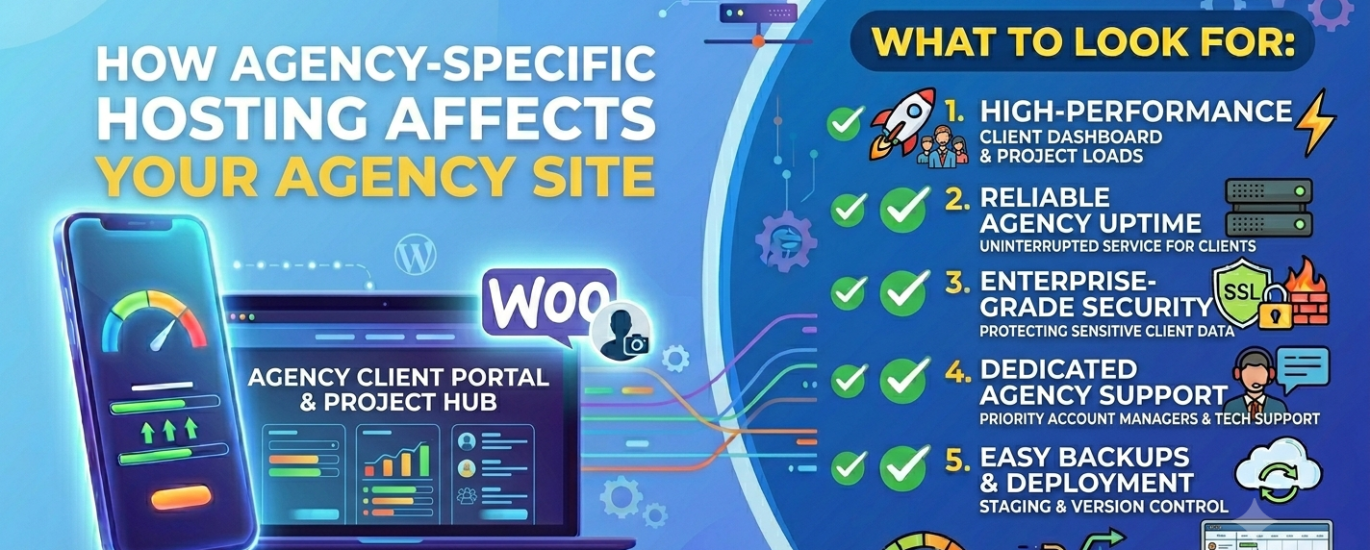
What to Look For When Choosing WordPress Hosting for Your Agency Website
Your agency website is your most visible piece of work. The hosting behind it shapes how fast it loads, how reliably it stays online, and how confidently you can pitch it as proof of what you deliver for clients.
Compare hosts rated for agency performance, multi-site management, and developer access.
In This Guide
An agency’s WordPress website is doing two jobs at once. It is a lead generation tool — attracting new clients through organic search, portfolio showcases, and service pages. And it is a live demonstration of your technical capability — every millisecond of load time, every uptime incident, and every security lapse on your own site is visible evidence of what you’re capable of delivering for others.
That dual role makes hosting decisions for an agency website more consequential than they are for a personal site or a standard business website. A slow agency site doesn’t just lose a visitor — it undermines the pitch. A compromised agency site doesn’t just cause downtime — it calls into question every security promise you make to clients.
Beyond your own site, most agencies are also responsible for the hosting environments of the client sites they build and manage. This guide covers both dimensions: what to look for in hosting for your agency’s own WordPress presence, and what infrastructure decisions matter when you’re selecting and managing hosting on behalf of clients.
Section 1Why Agency Hosting Is a Unique Challenge
Most hosting decisions involve a single site with a single owner. Agency hosting is structurally different in almost every way. Agencies typically manage a portfolio of sites — their own plus all of their active clients — often across multiple hosting environments, with varying levels of technical access and differing performance requirements for each.
The hosting decisions that work for a solo blogger or a single WooCommerce store don’t scale to an agency context. What agencies need from hosting falls into three distinct categories:
Own Site Performance
Your agency’s website must perform at the highest level — because prospects will benchmark your capability against it before they ever speak to you. Slow load times or security lapses on your own site are disqualifying.
Client Site Management
Agencies building and maintaining client sites need hosting that supports multi-site administration, staging environments, and bulk WordPress updates without requiring individual logins to each account.
Performance and First Impressions
A prospect landing on your agency’s website has already formed an impression before they read a single word of copy. That impression is shaped by how quickly the page loaded, how smoothly it transitioned, and whether it felt like the work of people who know what they’re doing. Your hosting environment is the foundation of all of that.
Web Server and Stack
The web server your host runs determines how efficiently your site handles incoming requests. For an agency site with portfolio pages, case studies, and high-resolution imagery, a server that handles concurrency efficiently is essential. LiteSpeed and NGINX are the strongest choices — both significantly outperform a default Apache configuration under real-world traffic conditions.
Your PHP version also matters. PHP 8.2 or 8.3 is meaningfully faster than older versions — and running a current PHP version is basic hygiene that any technically credible agency should be demonstrating on their own infrastructure. If your host doesn’t let you select a current PHP version from the control panel, that’s a problem for your credibility as much as your performance.
Time to First Byte
Time-to-First-Byte is the clearest single signal of how well-provisioned a host’s servers are. For an agency site — which is likely to be content-rich, with large images and multiple scripts — a TTFB under 200ms requires both good server performance and a properly configured caching layer.
Agencies should be running server-side full-page caching on their own site as a baseline. Object caching via Redis further reduces database load on pages that are queried frequently — like your homepage, services pages, and portfolio index. A CDN offloads heavy assets to edge servers close to your visitors, which is particularly valuable for agencies with a geographically distributed audience of prospects.
Server Location
The physical location of your hosting server affects latency for visitors who can’t be served from a CDN edge node. For dynamic pages — contact forms, custom quote tools, gated case studies — every request goes back to the origin server. Choose a host with data centres in or near your primary target market. If you serve clients across multiple regions, a host with flexible server location options gives you the ability to optimise for each audience.
Managing Multiple Client Sites
Most agencies reach a point where they’re managing WordPress sites for multiple clients simultaneously — each with different hosting accounts, different admin credentials, different update schedules, and different support contacts. The right hosting infrastructure dramatically reduces the operational overhead of that complexity.
WordPress Multisite
WordPress Multisite allows you to run multiple WordPress sites from a single installation, with a shared codebase, centralised plugin and theme management, and a single admin dashboard. For agencies managing many similar sites — franchise networks, multi-location businesses, or standardised client builds — Multisite can significantly reduce maintenance overhead.
However, Multisite introduces its own complexity: a plugin vulnerability or a failed update can affect every site in the network simultaneously. It requires a host that understands Multisite’s specific server requirements and can configure web server rewrites correctly for subdomain or subdirectory setups.
Staging Environments
Every agency site — your own and every client’s — should have a staging environment where plugin updates, theme changes, and major builds can be tested before going live. A hosting provider that offers one-click staging creation and push-to-live deployment makes this workflow fast enough that developers actually use it, rather than testing directly on production because staging is too slow to set up.
Centralised Dashboard and Bulk Management
Some managed WordPress hosts offer agency-tier plans with a centralised dashboard for managing multiple sites — covering WordPress core and plugin updates, backup status, security monitoring, and performance metrics across all accounts from one interface. This is qualitatively different from logging into each client’s cPanel individually — and at scale, the time saving is significant.
Developer Tools and Server Access
Agencies build WordPress sites differently from individual site owners. Deployments happen via Git, not manual FTP uploads. Staging environments are spun up and torn down programmatically. Database imports happen from the command line. A hosting environment that doesn’t support these workflows creates friction that slows every project.
SSH and Command-Line Access
SSH access is non-negotiable for any agency hosting environment. Without it, developers are constrained to the hosting control panel for server operations — which is slow, limited, and inappropriate for professional development workflows. SSH enables direct file management, database operations, deployment scripts, and anything else a developer needs to do efficiently.
WP-CLI — the command-line interface for WordPress — lets developers manage WordPress core, plugins, themes, users, and the database without touching the admin interface. Bulk operations that would take hours through the WordPress dashboard take seconds via WP-CLI. Confirm that your host supports it — most quality hosts do, but some entry-level providers restrict shell execution.
Control Panel and File Access
A capable cPanel or equivalent control panel gives non-developer team members access to hosting management without requiring server administration knowledge. For agencies where account managers or project managers need to add email accounts, check resource usage, or pull error logs, a well-configured control panel reduces developer dependency for routine tasks.
SFTP access is the minimum for secure file transfers. Agencies deploying via Git or CI/CD pipelines need hosts that support key-based authentication and don’t restrict shell commands in ways that break automated deployments.
Server Administration and Infrastructure
Agencies with in-house server capability — or with a dedicated DevOps resource — may prefer a VPS or virtual server where they control the full stack. Linux server administration skills unlock the ability to configure NGINX or LiteSpeed precisely, set up Redis, tune PHP-FPM pools per site, and implement security hardening that no managed host’s default configuration will match.
For agencies without that internal capability, the right managed host provides equivalent outcomes through their own server administration — so the agency gets the performance and security of a well-configured server without needing to maintain one.
Security and Client Data Protection
An agency that handles client websites is a custodian of client data — content, customer information, form submissions, and in some cases payment or personal data depending on the sites they manage. Security failures on hosting you manage don’t just affect your own business; they create liability exposure and reputational damage that directly affects client relationships.
Security Infrastructure
Your hosting environment’s security infrastructure is your first layer of defence. For agency hosting — where multiple sites may share server resources — the standard required is higher than for a single personal site. Evaluate each element:
- Web Application Firewall (WAF): Server-level WAF blocks malicious traffic before it reaches WordPress. Essential for any site handling form submissions, user registrations, or e-commerce.
- DDoS Protection: Network-level protection against volumetric attacks. A DDoS event affecting your agency’s own site during a pitch period or product launch is a reputational crisis.
- Malware Scanning: Automated daily scanning of WordPress core files, plugins, and themes with immediate alerts on detection.
- Daily Backups: Automatic daily backups stored off-site, with granular restore points. For client sites, the ability to restore to a specific point before a failed update is critical.
- SSL Certificates: Valid, auto-renewing SSL certificates on every site. An expired SSL on a client site is a client service failure — automation removes that risk.
- Active Security Monitoring: Real-time monitoring with incident alerts means you know about a problem before your client does.
Site Isolation
If you’re managing client sites, each client’s environment must be isolated from the others. On shared hosting without proper isolation, a compromised site can expose files from neighbouring accounts on the same server. Separate hosting accounts, or a host that provides container-level isolation between sites on a shared plan, is the minimum acceptable standard for client work.
Section 6Which Hosting Type Suits an Agency?
The right hosting type for an agency depends on team size, technical depth, and whether you’re choosing hosting for your own site, for client sites, or for both.
Handles server configuration, security, updates, and performance optimisation. Ideal for agencies that want excellent infrastructure without dedicated DevOps. Look for agency-tier plans with multi-site dashboards and staging.
Best for MostDedicated resources on a virtual server with full root access. Maximum control and performance efficiency — best for agencies with in-house Linux administration capability.
Strong OptionElastic scalability across distributed cloud infrastructure. Best ceiling for agencies with high-traffic client sites or unpredictable load patterns. Pairs well with managed WordPress layers.
Strong OptionSingle WordPress installation running multiple sites. Reduces maintenance overhead for standardised client builds. Requires careful planning — a single failure can affect all sites in the network simultaneously.
SituationalShared server resources with no isolation guarantees. Suitable only for a single low-traffic agency site at launch. Never appropriate for client site hosting where isolation and reliability matter.
Avoid for ClientsFull Agency Hosting Checklist
Use this checklist when evaluating any hosting provider for your agency’s own site or for client site management.
Performance
- LiteSpeed or NGINX web server — not Apache-only
- PHP 8.1 minimum, with PHP 8.2+ selectable per site from the control panel
- Server-level full-page caching enabled by default
- Redis object caching available and configurable
- CDN integration included or supported (Cloudflare or equivalent)
- Sub-200ms TTFB verifiable via independent testing tools
- Adequate CPU and RAM allocation with transparent limits and clear upgrade path
- Flexible server location options matching your primary client geographies
Developer Tools
- SSH access with key-based authentication
- WP-CLI support on all plans
- SFTP access with support for deployment key authentication
- cPanel or equivalent control panel for non-developer team members
- One-click staging environment creation with push-to-live capability
- Git-based deployment support or compatibility with CI/CD pipelines
- Database server access with phpMyAdmin or command-line MySQL/MariaDB
Security
- Free auto-renewing SSL certificates on all sites
- Web Application Firewall (WAF) included at the server level
- DDoS protection at the network layer
- Daily malware scanning of WordPress core, plugins, and themes
- Automatic daily backups with granular restore points and off-site storage
- Site isolation between client environments
- Active security monitoring with incident notification
Multi-Site & Agency Management
- Agency dashboard for managing multiple sites from a single interface
- Bulk WordPress core, plugin, and theme updates with rollback
- Support for WordPress Multisite configurations if needed
- Per-site resource allocation and monitoring via performance dashboards
- Client-facing logins or white-label options for client portal access
Reliability & Scalability
- 99.9% minimum uptime SLA, with 99.99% preferred for client-facing sites
- Clear upgrade path to more CPU, RAM, and bandwidth without migration
- Multiple data centre options across your target client markets
- Scalability path for high-traffic client sites without platform changes
- 24/7 support with WordPress-trained staff and fast response times
What to Avoid
Hosting All Clients on One Account
A single account failure, compromise, or resource spike affects every client simultaneously. Always isolate client environments — either separate accounts or container-level isolation within a single platform.
No Staging Environments
Testing plugin updates or design changes directly on live client sites is a professional risk. A host without easy staging environments encourages this dangerous shortcut.
Shared Hosting for Client Sites
Shared hosting without isolation puts every client at risk from every other tenant’s security and performance issues. Not appropriate for any professional client work.
No SSH or WP-CLI Access
Hosting that restricts SSH or WP-CLI forces developers into slow, manual workflows. For an agency billing by the hour, that constraint has a direct financial cost.
Outdated PHP on Your Own Site
Running PHP 7.x on your agency’s own website signals technical debt to anyone who checks. It also carries real security vulnerabilities. Current PHP is a minimum credibility requirement.
Weak Backup Policy
For client sites, daily backups with granular point-in-time restore are a client commitment, not just good practice. A host that retains only 7 days of backups and stores them on the same server is not meeting that commitment.
Frequently Asked Questions
Should my agency’s own site be on the same host as my client sites?
It can be, but it shouldn’t be on the same account or in the same environment. Your agency’s site has different performance requirements — it’s your primary marketing asset — and mixing it with client sites creates operational and reputational risk. If a client site causes a resource spike or a security incident, you don’t want your own site caught in the blast radius.
Is WordPress Multisite a good choice for managing multiple client sites?
It depends entirely on the nature of those sites. Multisite works well when clients have standardised requirements — similar designs, shared plugin sets, central administration. It becomes problematic when clients need different plugin configurations, different PHP settings, or full isolation from each other. For most agencies with diverse clients, separate WordPress installations on isolated hosting environments is the safer default.
What’s the difference between managed WordPress hosting and a VPS for an agency?
Managed WordPress hosting handles server configuration, security patching, and performance optimisation for you — freeing your developers to focus on building rather than maintaining infrastructure. A VPS gives you a raw server that you configure yourself via Linux server administration. The VPS ceiling is higher; the managed hosting floor is more reliable. Which is right depends on whether you have — and want to spend — the internal capacity to manage infrastructure.
How many client sites can I host on a single managed WordPress plan?
This varies widely by provider. Some managed hosts cap plans at 1–5 sites; agency-tier plans often support 20–100+ sites with centralised management. Read the plan limits carefully — and account for the fact that CPU, RAM, and bandwidth limits apply across all sites on the plan, not per site individually.
Do agency clients need to know which host their site is on?
That’s a business decision for your agency. Some agencies are fully transparent about hosting infrastructure; others offer white-label hosting as a service. If you’re charging clients a managed hosting retainer, confirm that your hosting provider supports white-label options — some managed hosts provide custom-branded dashboards or client logins without exposing the underlying provider’s branding.
How does server location affect client sites I’m managing?
Each client site should ideally be hosted on a server in or near their primary audience’s geography. A server location that’s right for a UK-focused client is wrong for a US-focused one. Hosts with multiple data centre locations give you the flexibility to optimise per client, rather than defaulting every site to the same region regardless of their audience.
What uptime SLA should I require for client sites?
The minimum professional standard is 99.9% — but for any client site that’s directly tied to revenue (booking systems, lead generation, e-commerce), 99.99% is the appropriate target. Check whether the host’s uptime SLA is backed by independent monitoring data or just a marketing claim on their pricing page, and verify with third-party tools before committing.
Find the Right Host for Your Agency
Compare hosting providers rated for WordPress agency use — multi-site management, developer tools, and performance at scale.
Find My Agency Host →