

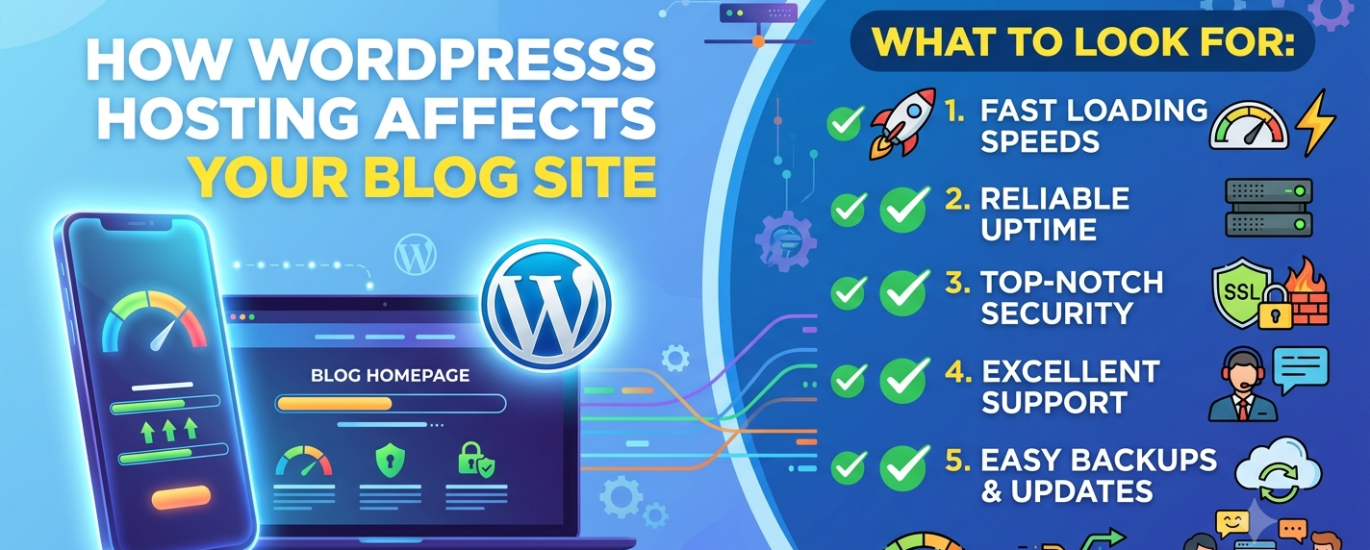
How WordPress Hosting Affects Your Blog Site — and What to Look For
Your hosting provider is not just where your blog lives — it directly determines how fast it loads, how often it stays online, how Google ranks it, and whether readers come back. This guide explains exactly what’s at stake and how to choose right.
Find the Best Host for Your Blog →In This Guide
Most new bloggers treat hosting as an afterthought — a box to tick before getting to the “real work” of writing. That’s an expensive mistake. The hosting environment your WordPress blog sits on shapes almost every dimension of the reader experience: how fast your posts load, whether your site is up when someone shares your article, how Google’s crawlers evaluate your pages, and how much of your monthly income disappears into support tickets and emergency fixes.
This guide is for anyone running or planning a WordPress blog site — from a solo personal journal to a content-driven media publication. It explains exactly how hosting infrastructure affects blogs specifically, and lays out what to evaluate when choosing a provider.
Why Hosting Matters More for WordPress Blogs Than You Think
A blog is a read-heavy, content-forward site — it generates bandwidth from many visitors loading text, images, and embedded media across dozens or hundreds of posts. Unlike a five-page business website that sits relatively static, a blog grows continuously: new content is published, old posts attract search traffic spikes, and comments or social shares can send a single article to thousands of readers overnight.
That growth pattern makes hosting decisions consequential in ways that compound over time. The host you choose at launch isn’t just serving your first ten posts — it’s the foundation for the next five hundred. And because blogs depend so heavily on organic search for traffic, the performance characteristics of your hosting have a direct, measurable effect on revenue, audience growth, and discoverability.
For a blog monetised through display advertising, affiliate links, or email list growth, every one of these numbers has a direct dollar value. A host that shaves 1.5 seconds off your page load time doesn’t just improve user experience — it improves the Google Core Web Vitals score that determines whether your posts rank above or below competing articles for every keyword you’re targeting.
The core insight: For a WordPress blog, hosting is not infrastructure — it is audience. The speed, reliability, and security of your host determine how many readers find your content, stay to read it, and come back for more.
The 6 Ways Hosting Directly Affects Your WordPress Blog
Understanding the specific mechanisms through which hosting affects a blog gives you a clearer framework for evaluating providers — and for understanding why the cheapest option rarely delivers the best long-term outcome.
Page Load Speed
How fast your blog posts load for a reader clicking from Google search. Determined by your host’s server performance, web server software, caching layer, and the physical distance between your server and the reader.
Search Engine Rankings
Google measures Time-to-First-Byte (TTFB), Core Web Vitals, and uptime as part of its ranking signals. A slow or frequently offline blog is penalised in organic search — even if your content is excellent.
Uptime & Availability
Every hour your blog is offline is traffic, ad revenue, and affiliate income lost. A host’s uptime SLA and actual track record determine how often your content is inaccessible to the readers looking for it.
Security & Malware Risk
WordPress blogs are frequent targets for automated bots and malware injection. Your host’s security infrastructure — including firewall protection, malware scanning, and daily backups — determines whether an attack is a minor inconvenience or a catastrophic data loss.
Traffic Spike Handling
A viral post, a newsletter mention, or a link from a major publication can send thousands of visitors to a single URL in minutes. Hosts with rigid CPU and RAM limits will buckle under that load — returning errors to exactly the readers you most want to impress.
Global Reader Experience
If your blog has readers across multiple continents, the physical location of your host’s data centre directly affects latency for international visitors. A host with servers near your audience delivers significantly faster load times for those readers.
Speed: The Most Direct Impact on Blog Growth
For a WordPress blog, speed is not a vanity metric — it is the mechanism through which hosting affects organic growth. Google’s Page Experience algorithm incorporates Core Web Vitals, and Time-to-First-Byte is one of the clearest signals of hosting quality. A blog post that loads in 1.2 seconds will consistently outrank an equally-written post that loads in 3.8 seconds, all else being equal.
Speed is determined primarily at the hosting level, before any plugin or theme optimisation. The web server software your host runs — whether LiteSpeed, NGINX, or Apache — has a major impact on how efficiently your server processes and delivers each page request. LiteSpeed in particular has a measurable advantage for WordPress blogs because of its native compatibility with the LiteSpeed Cache plugin, which delivers server-level full-page caching without additional configuration.
The PHP version your host runs also matters significantly. PHP 8.2 is measurably faster than PHP 7.x for WordPress workloads — some benchmarks show 20–30% speed improvements on the same hardware. A blog on a host locked to outdated PHP versions is giving away that performance advantage for no reason.
Security: What Happens When It Goes Wrong
A compromised WordPress blog can disappear from Google’s index entirely if the search engine detects malware. Readers who land on an infected page receive browser security warnings. Email deliverability from your blog’s domain can be destroyed if spammers hijack your server. These aren’t edge cases — WordPress is the world’s most targeted CMS, and blogs running outdated plugins or themes on poorly secured hosts are compromised daily.
Your hosting provider is your first line of defence. A host with strong security infrastructure — including a Web Application Firewall (WAF), server-level malware scanning, DDoS protection, and automatic daily backups — dramatically reduces the attack surface available to automated threats. The backup capability is especially critical: if your blog is compromised or a plugin update breaks your site, a reliable backup is the difference between a ten-minute restore and days of lost work.
Real risk: Blogs hosted on oversold shared servers with no isolation between accounts can be compromised through a neighbour account — a “noisy neighbour” vulnerability that has nothing to do with your own site’s security practices. Host selection is a security decision, not just a performance one.
Uptime: The Cost of Being Offline
The standard hosting uptime SLA is 99.9% — which sounds impressive until you realise it allows up to 8.7 hours of downtime per year. For a blog that earns ad revenue, those hours are paid time offline. For a blog building an email list, every visitor who hits an error page instead of your content is a subscriber you never acquired. For a blog ranking in competitive search results, extended downtime can trigger ranking drops as Google’s crawlers repeatedly fail to access your pages.
The best providers deliver 99.99% uptime — under 53 minutes of downtime annually — backed by redundant infrastructure and proactive monitoring. Look for hosts with public status pages and independently verified uptime data, not marketing claims on a landing page.
What to Look For When Choosing Hosting for a WordPress Blog
Not every feature that matters for a business site or WooCommerce store is equally important for a blog. Here are the criteria that matter most for a content-focused WordPress blog, ranked by impact.
Server-Side Caching
This is the single highest-impact feature for a WordPress blog. WordPress generates pages dynamically — every uncached page request triggers PHP execution and a database query. Full-page caching stores a rendered HTML copy of each post so that repeat visitors receive it instantly, without any server-side processing. A well-cached blog can handle hundreds of simultaneous visitors with the same resource overhead as a handful. Look for hosts that implement full-page caching at the server level — not just via a WordPress plugin — and that include object caching via Redis or Memcached as part of their standard stack.
Server Performance Stack
The web server software running on your host matters enormously for a blog. LiteSpeed is the top performer for WordPress blog workloads due to its native caching integration. NGINX is an excellent alternative. Apache remains common but is the slowest of the three for high-concurrency blog traffic. Beyond the web server, ensure your host runs modern PHP versions (8.1 or newer), NVMe SSD storage, and has OPcache enabled by default. These stack components define the performance ceiling your blog can reach regardless of any other optimisations you make.
Automatic Daily Backups
A blog is a growing archive of work — years of posts, images, custom configurations, and reader comments. Losing that content without a recovery path is a catastrophic outcome that responsible hosting prevents. Look for hosts that perform automatic daily backups, retain at least 14 days of restore points, and make restoration a one-click or simple process. Verify that backups are stored off-server — a backup on the same physical machine as your site doesn’t protect you if the server has a hardware failure.
Free SSL Certificate
HTTPS is non-negotiable for every WordPress blog today. Google uses HTTPS as a minor ranking signal, modern browsers mark HTTP sites as “Not Secure,” and readers increasingly expect the padlock. Free SSL certificates via Let’s Encrypt are now standard on almost every reputable hosting provider — but verify that auto-renewal is handled by the host, since an expired SSL certificate takes your blog offline for visitors and triggers alarming browser warnings.
Data Centre Location
Your host’s data centre location determines baseline latency for every reader who visits your blog. A server in Singapore serves readers in Southeast Asia significantly faster than a server in Texas — and vice versa. Choose a host with data centres in the region where the majority of your readers are located, or opt for a host that includes CDN integration to serve your blog’s static assets from edge nodes close to every visitor regardless of origin.
Automatic WordPress Updates
Running outdated versions of WordPress core files, themes, and plugins is the leading cause of blog compromises. Managed WordPress hosts handle core and minor version updates automatically, keeping your blog on a secure, up-to-date version of WordPress without requiring manual intervention. For bloggers who publish content rather than manage servers, this automated maintenance is a significant time-saver and a meaningful security improvement.
Bandwidth & Traffic Limits
A blog post that goes viral can receive ten times its normal daily traffic in a single hour. Hosts with hard bandwidth caps can suspend your account or throttle performance at exactly the moment your blog matters most. Look for hosts offering unmetered or generous bandwidth allowances, and understand what happens when you exceed your plan limits — an automatic overage charge is far preferable to an account suspension.
WordPress-Specific Support
When your blog breaks at 11pm the night before a major content launch, the quality of your host’s support team is the only thing standing between you and a missed deadline. Look for 24/7 live chat staffed by agents with genuine WordPress expertise — not a generic help desk that will direct you to documentation. Test support before committing: send a pre-sales question about a WordPress-specific issue and evaluate both the speed and depth of the response.
Scalability Path
The blog you have today is not the blog you’ll have in three years. A host that fits a 1,000-visitor-per-month blog may buckle under the demands of a 100,000-visitor-per-month publication. Evaluate your host’s upgrade path before signing up: can you move from shared hosting to a cloud or managed tier within the same provider, or does growth force a full migration? The best hosting relationships grow with your blog rather than forcing disruptive changes at the worst possible times.
Which Type of WordPress Hosting Suits a Blog?
There are four main WordPress hosting architectures, and each fits a different stage of a blog’s growth. Choosing the right category for where your blog is now — with an eye on where it’s heading — is the most important structural decision in the hosting selection process.
Shared WordPress Hosting
Multiple blogs share a single server’s CPU, RAM, and bandwidth. Entry price is $2–$10/month. The right choice for a new blog under 10,000 monthly visitors — provided the host uses LiteSpeed and includes server-level caching.
Managed WordPress Hosting
The host handles all server administration, updates, backups, and security monitoring automatically. Typically $20–$50/month at entry. Ideal for bloggers who want to focus on content rather than infrastructure, especially once traffic exceeds 20,000 monthly visitors.
Cloud WordPress Hosting
Runs your blog on scalable virtual server infrastructure (AWS, DigitalOcean, GCP). Excellent performance and elasticity for traffic spikes. Requires more technical comfort — comfortable with FTP, cPanel, or basic SSH — or a managed cloud layer like Cloudways.
VPS Hosting
A dedicated slice of server resources with full SSH and root access. Only appropriate for developer-bloggers who are comfortable with Linux server administration. Significant management overhead for a content-focused blogger.
The Shared vs. Managed Decision for Bloggers
The most common hosting decision a blogger faces is whether to start on shared hosting or invest directly in managed WordPress hosting. The answer depends on two variables: your budget and your technical appetite.
At under $10/month, quality shared hosting from providers running LiteSpeed servers with built-in server-side caching can handle a new blog’s traffic efficiently and affordably. The risk is the “noisy neighbour” problem — other sites on the same physical server consuming resources that affect your blog’s performance — and the ceiling on resource allocation as your traffic grows.
Managed WordPress hosting removes both of those risks. The server is configured specifically for WordPress, security monitoring and daily backups are handled automatically, and the infrastructure scales with your traffic. For a blogger monetising their content — through ads, affiliates, courses, or subscriptions — the premium is almost always justified by the time saved and the reliability gained.
Practical rule of thumb: Start on high-quality shared hosting if your budget is under $15/month. Move to managed WordPress hosting when your blog generates enough monthly revenue that losing a day to a host-related crisis costs more than the difference in plan price. For most monetised blogs, that crossover happens well before 20,000 monthly visitors.
A Note on Personal Blogs vs. Content Businesses
A personal blog — a journal, a creative writing outlet, a hobby site — has genuinely different requirements from a content business that monetises through display advertising or affiliate partnerships. A personal blog can tolerate occasional downtime, slower load times, and modest traffic ceilings without meaningful consequence. A content business cannot afford those compromises. Be honest about which category your blog falls into, and choose hosting that matches the actual stakes involved.
| Blog Stage | Monthly Visitors | Recommended Hosting | Approx. Cost | Key Priority |
|---|---|---|---|---|
| New / hobby blog | 0 – 5,000 | Shared (LiteSpeed) | $3 – $10/mo | Price & simplicity |
| Growing blog | 5,000 – 30,000 | Shared (premium) or Entry managed | $10 – $25/mo | Speed & reliability |
| Monetised blog | 30,000 – 100,000 | Managed WordPress | $25 – $50/mo | Performance & uptime |
| Media publication | 100,000+ | Premium managed or Cloud | $50 – $150/mo | Scalability & support |
What to Avoid When Hosting a WordPress Blog
Knowing what to look for is only half the picture. Understanding the most common hosting mistakes bloggers make — and the hosting configurations that consistently underperform — is equally important.
Oversold Shared Hosting with No Caching
The cheapest shared hosting plans are cheap because the provider has packed as many accounts as possible onto each server. With no server-side caching, every page request your blog receives triggers a fresh PHP execution and database query. On an oversold server, those requests queue behind hundreds of other sites competing for the same CPU and RAM. The result is a slow blog that gets slower as your traffic grows.
Hosts with No Transparent Uptime Data
Every hosting provider claims 99.9% uptime. Very few publish real-time and historical uptime data through a public status page. Avoid providers who rely on marketing copy rather than independently verifiable metrics. Before signing up, search for the host’s uptime history on third-party review and monitoring aggregators.
Ignoring Renewal Pricing
Budget hosting introductory prices — sometimes as low as $1–$2/month — are marketing hooks. The renewal rate after the initial term is typically three to five times the promotional price. When evaluating hosting cost for your blog, always calculate the renewal-rate budget, not the sign-up deal. A host that costs $2.95/month for the first year but $11.95/month thereafter is a $143/year commitment, not a $35/year one.
Choosing a Host Based on Brand Alone
The most heavily marketed WordPress hosts — those with the biggest affiliate budgets and the most prominent placement on review sites — are not necessarily the best performers. Independent benchmarks consistently show meaningful differences in speed, TTFB, and support quality between household names and less-promoted providers. Use a tool like WP Host Finder to surface a match based on your specific needs rather than advertising spend.
No Consideration of Server Location
A blog targeting readers in Africa, Southeast Asia, or the Middle East hosted on a server in the US or Europe will have measurably higher latency for those readers. The physical distance that signals must travel between server and browser adds milliseconds of lag that compounds across every asset your page loads. For blogs with a regional or global audience, server location and CDN coverage should be an explicit consideration in the hosting decision.
Common mistake: Many first-time bloggers choose a host based on a coupon code found via a Google search. Those coupon links almost always point to the host paying the highest affiliate commission — which has no correlation with the host that will actually serve your blog best. Evaluate on performance, not on who offered you a $50 gift card.
Your Blog Deserves Hosting That Grows With It
The right hosting for a WordPress blog is not the cheapest option — it’s the option that matches your blog’s current traffic, technical level, audience geography, and growth trajectory. Get that right from the start and your hosting investment pays for itself in faster page loads, better search rankings, fewer outages, and more time spent writing rather than troubleshooting.
WP Host Finder analyses your specific situation — budget, blog type, skill level, audience region, and top priority — and returns a personalised shortlist of the best-matched providers in under 60 seconds.
Find the Right Host for My Blog →WordPress Blog Hosting — Common Questions
Yes, directly. Google’s Core Web Vitals algorithm measures Time-to-First-Byte (TTFB) and overall page speed as ranking signals. A slow host produces a slow blog, and a slow blog ranks below faster competitors for the same search queries. Uptime also matters: if Google’s crawlers repeatedly fail to access your pages due to downtime, your crawl budget is wasted and your rankings can drop.
For most beginner bloggers, quality shared WordPress hosting on a LiteSpeed-based server with included server-side caching is the right starting point. Look for a provider that offers one-click WordPress installation, free SSL certificates, automatic backups, and 24/7 support. You don’t need SSH access, CLI tools, or developer-level features at this stage.
A new blog can be well-hosted for $5–$15/month on quality shared hosting. A monetised blog receiving 30,000+ monthly visitors should budget $20–$50/month for managed WordPress hosting. Always calculate the renewal-rate cost, not the promotional introductory price — renewal rates are typically two to four times higher than sign-up offers.
For a content blog, server-side caching has the highest single impact on reader experience, search rankings, and traffic spike resilience. After caching, the most impactful features are server performance stack (LiteSpeed + modern PHP), reliable daily backups, and verified uptime.
It depends on the host’s infrastructure and your caching configuration. A well-cached blog on quality shared hosting can absorb modest spikes because cached pages require minimal server resources to serve. However, if your blog generates significant uncached traffic (from logged-in users, search forms, or dynamic elements), shared hosting CPU and RAM limits become a hard ceiling. For high-traffic scenarios, managed or cloud hosting with elastic resource scalability is the safer choice.
If you’re running more than two or three blogs, it’s worth evaluating hosts that offer multisite or multi-install management tools. Many managed WordPress hosts offer multi-site plans where you can manage several installations from a single dashboard. Running multiple blogs under one hosting account is more efficient and often more economical than separate plans — provided the host’s resource allocation supports the combined traffic load.
WordPress.com is a hosted blogging platform with significant restrictions on plugins, themes, and customisation unless you’re on a high-tier paid plan. Self-hosted WordPress.org — installed on your own hosting account — gives you complete control over your blog’s design, functionality, and monetisation. For any blog with growth ambitions, self-hosted WordPress on an independent host is the right foundation.
Related guides: WordPress personal website hosting · WordPress business website hosting · WooCommerce hosting · Managed WordPress hosting explained · WordPress shared hosting guide · Top WordPress hosts ranked
