

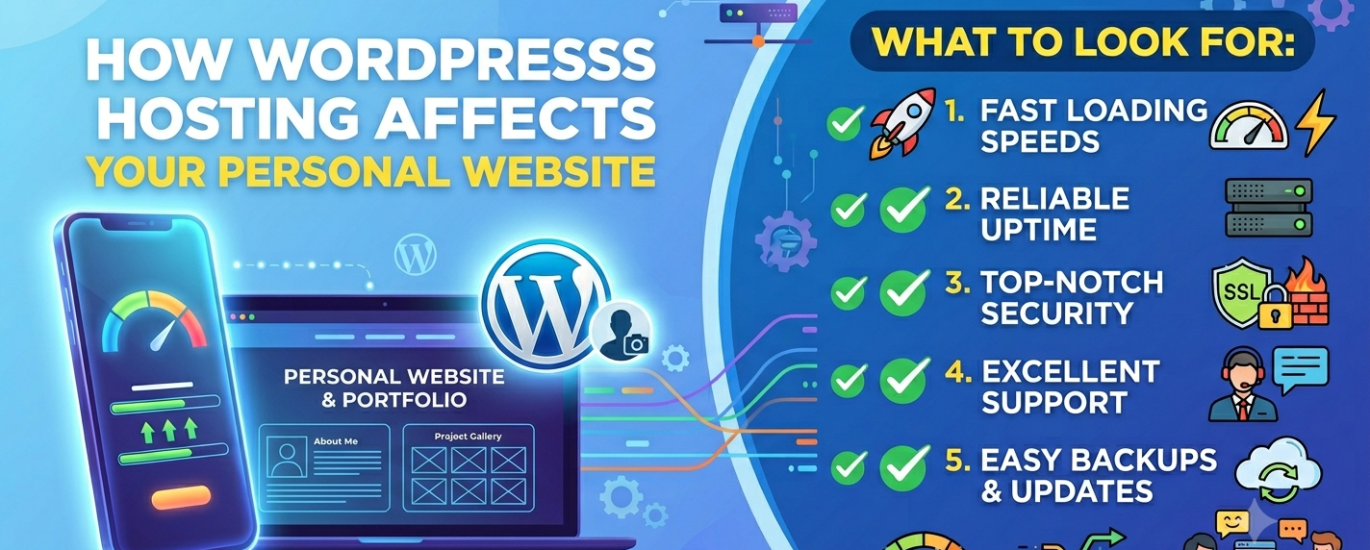
How WordPress Hosting Affects Your Personal Website — and What to Look For
Whether you’re building a portfolio, a CV site, a personal brand hub, or a passion project, the hosting behind your WordPress personal website determines how it performs, how secure it stays, and how well it represents you to every visitor who matters.
Find the Right Host for My Personal Site →In This Guide
A personal website is often the most underestimated publishing decision you’ll make. It’s the one URL you put on your CV, your LinkedIn profile, your email signature, and your business cards. The moment someone important visits — a potential employer, a collaborator, a client, a conference organiser — your hosting is silently determining whether that visit becomes an opportunity or a missed connection.
This guide explains precisely how WordPress hosting infrastructure affects a personal website, what to evaluate when choosing a provider, and how to make a decision that matches your actual needs rather than the loudest marketing message in your search results.
What Counts as a WordPress Personal Website?
A WordPress personal website is any self-hosted site built primarily to represent an individual rather than a business or commercial operation. The category is broader than many people realise, and the hosting requirements shift meaningfully depending on the purpose.
Portfolio Site
Designers, photographers, developers, writers, and other creatives use a portfolio to display work samples. Often image-heavy, requiring a host with strong server performance, good image delivery, and reliable uptime when sharing work with clients.
CV / Résumé Site
A digital résumé that surfaces in Google when someone searches your name. Typically low-traffic but visited at critical moments — by recruiters, hiring managers, or collaborators. First impressions depend heavily on load speed.
Personal Brand Hub
A central home for speakers, coaches, consultants, or thought leaders — linking to social profiles, booking pages, a blog, and media appearances. Often the anchor point for professional reputation management.
Passion Project / Hobby Site
A personal interest site — photography, travel writing, hobby documentation — with a small but loyal audience. Less commercially critical but still a public representation of how you think and communicate.
The common thread across all of these is that the site is a direct extension of your personal reputation. Unlike a business website where brand and team buffer individual impressions, a personal website is entirely you — which makes every performance failure, security issue, or downtime incident a direct reflection on your professionalism.
Why Hosting Matters Even for a Personal Website
Many people building their first personal website assume that hosting is a commodity — that one cheap provider is essentially the same as another, and that the differences only become relevant at scale. That assumption is wrong, and it’s wrong in ways that matter most precisely at the moments your personal site matters most.
Consider the scenarios where your personal website gets its most important visits: you’ve just spoken at a conference and fifty attendees look up your URL. A recruiter at a firm you want to work for Googles your name. A journalist writing about your field clicks the link in your email. A collaborator you’ve been trying to reach for months finally checks your portfolio.
In every one of those moments, a site that takes four seconds to load, returns a security warning, or shows a hosting error page doesn’t just fail to make an impression — it actively makes a negative one. The opportunity cost of poor hosting on a personal website isn’t measured in lost revenue, it’s measured in lost opportunities: the job you didn’t get, the collaboration that didn’t happen, the introduction that led nowhere.
The key insight: A personal website receives visits that are infrequent, unpredictable, and disproportionately high-stakes. The hosting behind it needs to perform reliably at exactly those moments — not just when you happen to be checking it yourself.
How Hosting Directly Affects Your WordPress Personal Website
The impact of hosting on a personal website operates across several dimensions simultaneously. Understanding each one helps you evaluate providers more honestly than any marketing page will let you.
Page Speed: Your First Impression Before Anyone Reads a Word
Page speed is the first thing a visitor to your personal site experiences — before your headline, before your portfolio images, before your bio. It’s determined primarily by your hosting environment: the web server software your host runs, the PHP version in use, whether server-side caching is active, and the physical location of the data centre relative to your visitors.
A well-hosted personal WordPress site should deliver a Time-to-First-Byte (TTFB) under 200ms for cached pages — meaning a visitor’s browser receives the first data from your server in under a fifth of a second. Hosts running LiteSpeed or NGINX with full-page caching enabled consistently achieve this. Shared hosts on overloaded Apache servers without caching often deliver TTFB of 800ms–2 seconds — and that’s before the browser has downloaded a single image, stylesheet, or font.
Uptime: Being Available When It Counts
Personal websites receive irregular, unpredictable traffic rather than the steady daily flow a blog or business site might have. That pattern makes reliable uptime uniquely critical: your site may be quiet for weeks, then receive its most important visit in a concentrated window — when you’ve been mentioned in an article, invited to speak somewhere, or submitted an application that reviewers will click through.
A host’s uptime SLA tells you what it guarantees. The standard 99.9% SLA allows nearly nine hours of downtime annually. For a personal site, that downtime concentrated into the wrong hour could mean a missed opportunity that took months of networking to create. Look for hosts with 99.95% or better uptime backed by independently verifiable track records, not marketing copy.
Security: Protecting Your Personal Brand
A compromised personal website doesn’t just go offline — it can actively damage your reputation. Malware-infected sites serve spam, display inappropriate content, or redirect visitors to scam pages. Browsers display red-screen security warnings. Google flags the site in search results. For someone whose professional identity is tied to their personal site, a security incident is not an inconvenience — it’s a reputational crisis.
Your host’s security infrastructure is your primary protection against these outcomes. Look for hosts providing automatic daily backups (so recovery from a compromise is measured in minutes, not days), malware scanning, Web Application Firewall (WAF) protection, and account-level isolation that prevents a compromised site elsewhere on the server from affecting yours.
Google Discoverability: Being Found by Name
Most personal websites want to rank for one specific search: your own name. When someone Googles you, your personal site should appear at or near the top of the results. Hosting affects this in two ways. First, a slow-loading site with poor Core Web Vitals scores will rank below a faster competitor for the same name — even if that competitor has less relevant content. Second, a site that’s frequently offline will accumulate crawl errors in Google’s index, which suppresses rankings over time.
Good hosting contributes to good SEO not by doing anything clever, but by making your site fast, consistently available, and served over HTTPS — the three hosting-level factors that Google’s algorithm directly measures.
Server Location and Your Audience Geography
If the people who matter most to your career are in a specific region — your industry is concentrated in London, your clients are in Singapore, your target employers are in New York — the physical location of your host’s data centre relative to that region affects how fast your site loads for them. Server proximity reduces latency in ways that no amount of optimisation elsewhere can fully compensate for. A host with data centres in or near your key audience’s region, or a built-in CDN that delivers content from edge nodes close to every visitor, is meaningfully better than one with a single US-only infrastructure for a personal site with a global professional audience.
What to Look For When Choosing Hosting for a WordPress Personal Website
A personal website has different priorities from a WooCommerce store, an agency site, or a high-traffic publication. Here are the criteria that matter most, in order of impact for a personal WordPress site.
Reliable Uptime with a Verified Track Record
For a personal site that receives infrequent but high-stakes visits, availability is the single most critical hosting characteristic. A site that’s offline when a recruiter clicks your link doesn’t get a second chance. Prioritise hosts with independently verified uptime above 99.95%, a public status page, and a history of proactive communication around maintenance windows. Never rely solely on a provider’s own uptime claims — check third-party monitoring data and user reviews for real-world availability.
Fast Load Times via Server-Side Caching
Your personal site needs to load quickly the first time someone visits, from a cold cache, without you having recently published anything to warm it up. Full-page caching at the server level ensures that every visitor — regardless of when they arrive — receives a pre-rendered HTML response rather than waiting for PHP and the database to generate the page fresh. Look for hosts where server-side caching is included and enabled by default, not an add-on that requires manual configuration.
Free SSL Certificate with Auto-Renewal
An SSL certificate is the minimum requirement for any personal website in 2025. Without it, modern browsers display “Not Secure” warnings that immediately undermine the professional impression your site is meant to create. Every reputable host now provides free SSL via Let’s Encrypt — but verify that the host manages automatic renewal. An expired SSL certificate is as damaging as no SSL at all, and it’s an entirely preventable failure when the host handles renewal automatically.
Automatic Daily Backups
A personal website represents hours of work — writing your bio, curating portfolio pieces, configuring your design, building your contact forms. Losing that to a failed plugin update, a server error, or a security incident is entirely avoidable with proper automatic daily backups. Look for hosts that perform off-server backups (stored separately from your site files), retain at least 14 days of restore points, and make restoration simple enough to complete without technical knowledge.
Ease of Use and WordPress-Friendly Interface
A personal website is typically managed by one person — you — without dedicated technical support. Your host’s control panel and WordPress management tools should be intuitive enough to handle routine tasks (installing plugins, switching themes, managing WordPress core updates) without requiring expertise in FTP, cPanel, or SSH. A managed WordPress host that handles automatic updates and security monitoring removes maintenance burden entirely — so you can focus on the site rather than the server.
Appropriate Server Location for Your Audience
Where your host’s data centres are located determines baseline latency for your visitors. If your professional network, clients, or target employers are concentrated in a specific region, choose a host with infrastructure close to that geography. For personal sites with genuinely global visitors — international freelancers, academics, speakers — a host with CDN integration that serves content from edge nodes near each visitor is the most practical solution to the server location problem.
Good Support When You Need It
Personal website owners are disproportionately likely to be non-technical users who need genuine help when something goes wrong — not a link to a knowledge base article. Look for hosts with 24/7 live chat staffed by people who understand WordPress specifically. Test support before committing: send a question about a WordPress-specific configuration issue before purchasing and evaluate both the response speed and the quality of the answer. Support quality is difficult to judge from a pricing page and easy to test in advance.
Affordable Pricing at Renewal (Not Just Sign-Up)
Budget hosting providers routinely offer introductory prices of $1–$3/month that jump to $8–$15/month at renewal. For a personal website with a long intended lifespan, the renewal rate is the real cost of the hosting. Before committing to a plan, check the renewal pricing explicitly — it’s usually listed in the small print below the headline offer — and calculate the total cost over two or three years rather than the first billing cycle.
Which Type of WordPress Hosting Is Right for a Personal Website?
The WordPress hosting landscape spans a wide range of architectures. For a personal website, the choice is usually between two options — with a clear decision framework for each.
Shared WordPress Hosting
Multiple sites share a single server’s CPU, RAM, and bandwidth. The right choice for personal sites under 20,000 monthly visitors, provided the host runs LiteSpeed and includes server-side caching. Entry cost: $3–$12/month.
Managed WordPress Hosting
Full server management, automatic updates, and security monitoring included. Worth the premium ($20–$40/month) for speakers, consultants, or professionals whose personal site is a primary business asset.
Cloud Hosting
Scalable virtual server infrastructure that grows with your traffic. Requires comfort with cPanel or basic SSH. Best suited to developers who want maximum performance control for a personal project.
VPS Hosting
Dedicated server resources with full root access. Requires Linux server administration skills. The management overhead is not justified for a personal site without high technical ambition or traffic volume.
Shared Hosting: The Right Start for Most Personal Sites
The majority of personal WordPress websites are best served by quality shared hosting — specifically, from a provider running LiteSpeed servers with server-side caching included. A personal site that receives hundreds or a few thousand visits per month generates minimal server load, and shared hosting handles that easily when the host is well configured.
The risk with shared hosting is provider quality, not the architecture itself. An oversold shared server with no caching, outdated PHP versions, and aggressive resource throttling will deliver a poor experience even for low-traffic personal sites. The difference between a $3/month host on LiteSpeed with Redis object caching and a $3/month host on an overloaded Apache server with no caching is enormous — and the price tag gives you no signal about which you’re getting.
When Managed WordPress Hosting Is Worth It for a Personal Site
For a personal website that is also a professional instrument — a consultant’s primary lead-generation channel, a speaker’s booking hub, a freelancer’s portfolio — the premium for managed WordPress hosting is frequently justified. Managed hosting removes all server administration from your plate: WordPress updates are handled automatically, backups run daily without configuration, security monitoring is continuous, and performance is optimised at the infrastructure level.
If your personal site generates revenue — even indirectly, by supporting your professional reputation and client acquisition — the question to ask is not “can I justify $30/month for hosting?” but “can I afford for my site to perform poorly or go offline at the moment someone important visits it?”
Practical guideline: Start on quality shared hosting if your personal site is a hobby, journal, or early-career portfolio with modest stakes. Move to managed WordPress hosting if your site is actively supporting your career, consultancy, or personal brand — where downtime or poor performance has real professional consequences.
| Personal Site Type | Recommended Hosting | Key Requirement | Approx. Cost |
|---|---|---|---|
| Hobby / passion project | Shared hosting | Price & simplicity | $3–$8/mo |
| Graduate / early career CV site | Shared hosting (LiteSpeed) | Speed & uptime | $5–$12/mo |
| Creative portfolio | Shared or entry managed | Image performance & reliability | $8–$25/mo |
| Consultant / speaker brand hub | Managed WordPress | Reliability & zero maintenance | $20–$40/mo |
| Developer personal site | Cloud or VPS | Control & performance | $12–$30/mo |
Common Hosting Mistakes to Avoid for a Personal WordPress Website
Personal website owners are disproportionately targeted by hosting marketing that exploits low budgets and limited technical experience. Here are the most common mistakes — and how to avoid them.
Choosing on Price Alone
The cheapest shared hosting is cheap because providers oversell server capacity and provide minimal support. A $1.99/month host that delivers a 4-second TTFB and goes down twice a month is a worse value than a $9/month host that loads in under a second and stays online. For a personal site that you’re trusting to represent you professionally, the difference between a $5 and a $12 monthly plan is worth evaluating on performance criteria, not just the headline price.
Ignoring the Renewal Rate
Budget hosting providers lead with promotional rates that reset dramatically at renewal. A plan advertised at $2.75/month renews at $11.99/month — a fourfold increase that many users discover only on their first renewal invoice. Always calculate the real cost of hosting over a 2–3 year period using the renewal rate, not the promotional offer. A host with a slightly higher entry price but a stable renewal rate is often the better financial decision over the life of your personal site.
Skipping the SSL Check
An SSL certificate is table stakes. But equally important is verifying that auto-renewal is managed by your host — not left to you to handle manually. A personal website that shows a “Your connection is not private” error to a potential employer or client is losing opportunities in real time. Confirm before signing up that SSL renewal is automated and that you’ll receive alerts if it’s at risk of expiring.
Not Thinking About Server Location
Many personal site owners choose a host based on name recognition without considering where the host’s data centres are. If your industry network, clients, or target employers are primarily in Europe, Southeast Asia, or Africa, a host with only US infrastructure will deliver noticeably slower load times for the people whose opinions matter most. Ask explicitly about data centre locations or choose a host with CDN coverage that addresses the gap.
Skipping Backups Because “Nothing Will Go Wrong”
A plugin update conflicts with your theme. A WordPress core update breaks a customisation. A security incident injects malware. These things happen to WordPress sites at all levels of scale and sophistication. Without daily backups, recovery means rebuilding from scratch. With backups, it means clicking restore. The backup feature is not optional infrastructure — it is the insurance policy for everything you’ve built.
Watch out for: Hosts that advertise “unlimited” bandwidth, storage, and sites — but enforce strict limits in the fine print via CPU throttling and inode restrictions. “Unlimited” in hosting marketing almost never means what it implies. Read the acceptable use policy before committing.
Not Testing Support Before Buying
You won’t know how good a host’s support team is until you need it — unless you test it first. Before purchasing, open a live chat or send a pre-sales email asking a specific WordPress question: “What PHP version do you run, and can I change it per site?” or “Do you include server-side caching, and how do I enable it?” The quality, speed, and depth of the response tells you more about the host than any review site comparison chart.
Your Personal Website Deserves to Work When It Matters
The right WordPress hosting for a personal website is not the most expensive option — but it’s also not the cheapest. It’s the option that keeps your site fast, online, and secure at the unpredictable moments when the right person visits. Getting hosting right from the start means your personal site works for your career and reputation without requiring ongoing attention from you.
WP Host Finder analyses your specific situation — budget, site type, skill level, audience location, and top priority — and returns a shortlist of the best-matched providers in under 60 seconds.
Find the Right Host for My Personal Website →WordPress Personal Website Hosting — Common Questions
Yes, if you want full control over your site’s design, plugins, themes, and URL. WordPress.com offers free and low-cost hosted options, but restricts customisation significantly. Self-hosted WordPress on your own hosting account gives you complete ownership and flexibility — and with quality shared hosting available from $5/month, the cost of full control is minimal.
For a hobby or early-career personal site, $5–$12/month on quality shared hosting is appropriate. For a professional personal brand site where reliability is business-critical, budgeting $20–$40/month for managed WordPress hosting is a sound investment. Always evaluate the renewal rate, not the promotional introductory price.
Reliable uptime and fast load times via server-side caching are the two most impactful features for a personal site. Together they ensure your site is available and performs well at the unpredictable moments when important visitors arrive. After those, automatic daily backups and a free SSL certificate are non-negotiable.
Yes — for most personal websites. Quality shared hosting on a provider running LiteSpeed servers with server-side caching handles personal site traffic efficiently and affordably. The critical distinction is provider quality: a well-configured LiteSpeed shared host dramatically outperforms an overloaded Apache shared host at the same price point.
Indirectly, yes. Page speed and Core Web Vitals are Google ranking factors. A slow personal site on poor hosting may rank below other mentions of your name — LinkedIn profiles, press articles, directory listings — even for your own name as the search query. Good hosting contributes to fast load times and consistent availability, both of which support better organic visibility.
Not necessarily. Managed WordPress hosting providers handle WordPress updates, security monitoring, and backups automatically — removing the need for FTP, cPanel, or SSH knowledge. Quality shared hosts also provide beginner-friendly dashboards with one-click WordPress installation. You can build and maintain a professional personal WordPress site with no server knowledge — provided you choose a host that handles the technical layer for you.
Without a backup, a compromise can mean losing all your content and configuration. With automatic daily backups from a reliable host, recovery is usually a matter of restoring to a pre-compromise restore point — a process that takes minutes rather than days. Hosts with strong security infrastructure (WAF, malware scanning, DDoS protection) significantly reduce the likelihood of a successful attack in the first place.
Related guides: WordPress blog site hosting · WordPress business website hosting · WordPress shared hosting guide · Managed WordPress hosting explained · WordPress SSL certificates · Top WordPress hosts ranked
