

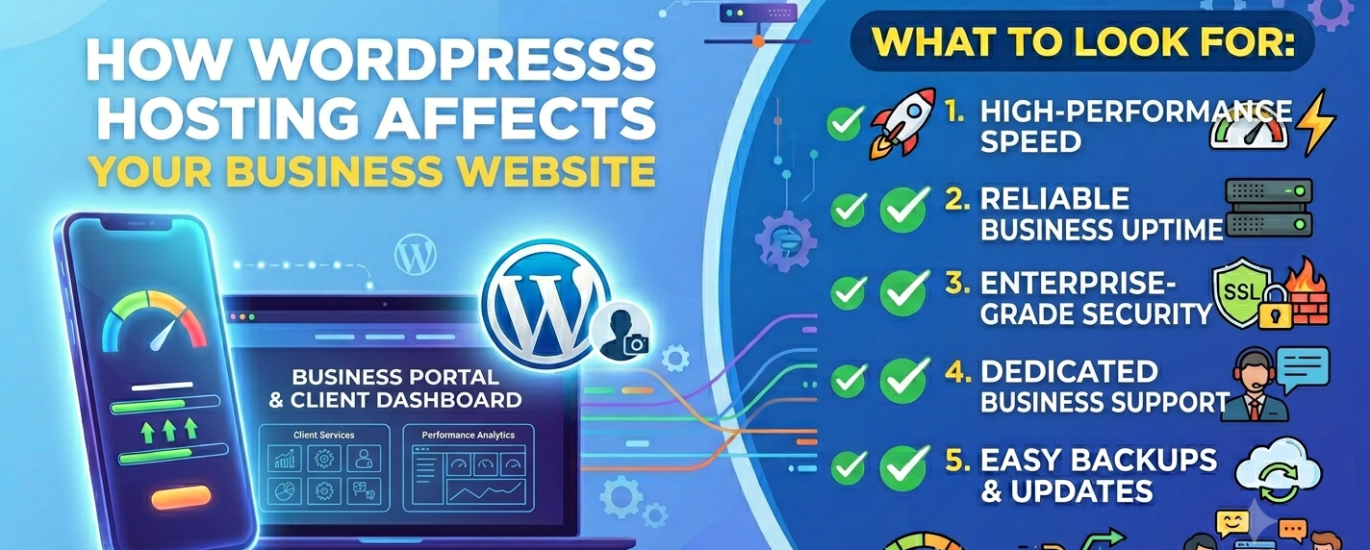
How WordPress Hosting Affects Your Business Website — and What to Look For
For a business website, hosting is not background infrastructure — it is the foundation of your lead generation, customer trust, search visibility, and brand credibility. This guide explains exactly what’s at stake and how to choose the hosting that your business actually needs.
Find the Best Host for My Business Site →In This Guide
- What defines a WordPress business website?
- Why the hosting stakes are higher for a business site
- The 7 ways hosting directly affects your business
- What to look for when choosing business hosting
- Which hosting type suits a business website?
- Questions to ask any host before signing up
- What to avoid
- Frequently asked questions
A WordPress business website is working on your behalf every hour of every day — attracting customers through search, converting visitors into leads, communicating your credibility to prospects who’ve never met you, and representing your brand to the widest possible audience. The hosting environment underpinning all of that is not a commodity decision. It’s a business decision.
Yet hosting is routinely chosen on price alone, based on a promotional offer found through a Google search, or defaulted to whatever the web designer used on their last project. That approach creates a mismatch between what a business website needs to do and what the infrastructure behind it can actually deliver.
This guide covers the full picture — how WordPress hosting infrastructure affects business outcomes, what to evaluate when comparing providers, and how to match the right hosting architecture to your specific business type and stage.
What Defines a WordPress Business Website?
A WordPress business website is any site whose primary purpose is to support commercial activity — generating leads, converting customers, communicating brand value, or enabling service delivery. The category spans a wide range of sizes and business models, each with meaningfully different hosting requirements.
Local Business Site
Service businesses — plumbers, solicitors, dentists, accountants, restaurants — whose website generates local search traffic and drives phone calls, bookings, and foot traffic. Speed and local server proximity matter; downtime costs real appointments.
B2B Service Company
Consultancies, agencies, SaaS companies, and professional services firms whose website is a primary sales tool. Prospects evaluate credibility before picking up the phone — performance, uptime, and security signal professionalism.
Product Business (Non-eCommerce)
Manufacturers, distributors, and product companies whose website showcases products but directs transactions elsewhere. High-quality imagery and fast page delivery are essential for product credibility.
Knowledge / Content Business
Businesses whose authority comes from content — educational platforms, research firms, media companies. Consistent uptime, SEO performance, and the ability to handle traffic spikes from content going viral are the hosting priorities.
Multi-Location / Franchise Business
Businesses operating across multiple regions or countries. Data centre geography, multisite capability, and scalable infrastructure become critical as the digital footprint grows.
Growing Startup
Early-stage companies building brand awareness and capturing leads. The right hosting grows with the business — starting affordable and scaling without forcing painful migrations as traffic and team size increase.
What unites all of these is commercial intent: the website exists to support revenue, not just to publish information. That commercial purpose raises the stakes for every hosting decision — because every dimension of hosting quality has a measurable business consequence.
Why the Hosting Stakes Are Higher for a Business Website
The difference between a personal website and a business website, from a hosting perspective, is the difference between inconvenience and financial loss. When a personal site goes offline, you miss a visit. When a business website goes offline, you miss a customer — and potentially damage your reputation with every visitor who sees an error page instead of your brand.
For a business website, hosting quality has a direct relationship with revenue. A site that loads in 1.2 seconds converts measurably better than the same site loading in 3.5 seconds. A site that is available 99.99% of the time loses a fraction of the revenue that a 99.9% uptime site loses to downtime. A site that passes Google’s Core Web Vitals assessments ranks above a competitor site with identical content but poor hosting — capturing organic traffic that translates directly into leads and sales.
These are not marginal differences. For a business website generating £10,000 per month in leads, a 15% improvement in conversion rate from faster load times is worth £1,500 per month — significantly more than the monthly cost difference between budget shared hosting and quality managed WordPress hosting.
The business case: Hosting is not a cost to minimise — it is an investment with a measurable return. The right frame for a business website hosting decision is not “what is the cheapest option?” but “what hosting delivers the best return on a predictable monthly investment?”
The 7 Ways Hosting Directly Affects Your Business Website
1. Lead Generation and Conversion Rate
Every second of page load time costs you conversions. Research consistently shows that a one-second delay in response time reduces conversions by 7%. For a business website, that relationship is direct: a slow-loading contact form, a sluggish services page, or a delayed landing page doesn’t just frustrate visitors — it suppresses the conversion events your business depends on. Server performance, caching architecture, and TTFB are the hosting-level variables that determine how fast your pages load for every visitor, on every device, in every geography.
2. Search Engine Visibility and Organic Traffic
Google’s Page Experience algorithm uses Core Web Vitals — including Time-to-First-Byte, Largest Contentful Paint, and Cumulative Layout Shift — as direct ranking signals. A business website hosted on slow infrastructure with poor caching will underperform in organic search compared to competitors on faster hosting, even with equivalent or superior content. For most business websites, organic search is the most cost-effective customer acquisition channel — making hosting a direct input to marketing performance and return on content investment.
3. Brand Credibility and Professional Trust
A prospect evaluating your business will visit your website before they call, email, or make a purchasing decision. A slow, unstable, or insecure site communicates something specific about your business: that it doesn’t invest in quality, that it isn’t detail-oriented, or that it can’t be trusted with sensitive information. Conversely, a fast, reliably available site with a valid SSL certificate and professional performance signals investment and credibility before a single word of copy is read.
4. Uptime and Revenue Continuity
Every hour your business website is offline is an hour during which potential customers are landing on an error page rather than your services, contact form, or product catalogue. For businesses relying on their site for inbound leads, quote requests, or appointment bookings, downtime has an immediate and calculable revenue cost. Your host’s uptime SLA and actual track record — verified through independent monitoring rather than marketing copy — is a direct business risk variable that deserves serious evaluation weight.
5. Security and Business Continuity Risk
A compromised business website is a reputational crisis, not just a technical inconvenience. Malware-infected business sites can steal customer data, inject spam links that destroy search rankings, display inappropriate content to visitors, and trigger browser security warnings that block traffic entirely. For businesses handling customer enquiries, contact details, or any form of personal data, the security infrastructure of the hosting environment is a compliance consideration as much as a technical one. Your host’s Web Application Firewall (WAF), malware scanning, DDoS protection, and backup reliability are your primary defences.
6. Team Productivity and Maintenance Overhead
Poor hosting creates ongoing maintenance burden for the people responsible for your website — whether that’s an in-house team, a freelancer, or an agency. Frequent outages, slow admin panel performance, unreliable staging environments, and unresponsive support teams all translate into billable hours and internal time spent managing hosting problems rather than growing the business. A managed WordPress host that handles automatic updates, security monitoring, and daily backups removes that overhead systematically — freeing your team or agency to focus on work that grows the business.
7. Geographic Reach and International Performance
If your business serves customers across multiple regions or countries, the physical location of your hosting data centre determines how fast your site loads in each geography. Latency is physics: a server in Dublin serves European visitors faster than a server in Dallas, regardless of how optimised your code is. For businesses with international audiences, a host with a geographically distributed data centre network or built-in CDN integration is not a premium feature — it is the baseline requirement for consistent global performance.
What to Look For When Choosing Hosting for a WordPress Business Website
Business websites have requirements that blog sites and personal sites don’t. The following criteria are ranked by their business impact — the degree to which they directly affect commercial outcomes rather than just technical metrics.
Verified Uptime Above 99.95%
For a business website, uptime is a revenue metric. The industry-standard 99.9% SLA still permits up to 8.7 hours of downtime annually — hours during which your lead generation is offline and potential customers are seeing error pages. The best providers deliver 99.95%–99.99% uptime backed by redundant infrastructure, automatic failover, and public status pages with independently verifiable historical data. Never accept a host’s own uptime claims at face value — check third-party uptime monitoring databases, review site track records, and ask specifically how the host defines “downtime” in its SLA (some exclude scheduled maintenance windows that can disguise real availability problems).
High-Performance Server Stack
The web server software your host runs — LiteSpeed, NGINX, or Apache — is the single most impactful technical variable in your site’s speed. LiteSpeed and NGINX dramatically outperform Apache for WordPress workloads, particularly under concurrent traffic. Beyond the web server, confirm your host runs PHP 8.1 or newer (measurably faster for WordPress), NVMe SSD storage (faster read/write than SATA SSD), OPcache enabled by default, and modern MySQL or MariaDB database versions tuned for WordPress query patterns. These stack components define the performance ceiling your business site can reach.
Enterprise-Grade Security Infrastructure
A business website handling customer enquiries, contact data, or any personally identifiable information has a legal and ethical responsibility to protect that data. Your host’s security stack should include: a Web Application Firewall (WAF) that filters malicious traffic at the network level; automatic malware scanning with notification and remediation; DDoS protection; free SSL certificate with automated renewal; account isolation that prevents server-level cross-contamination; and automatic daily backups stored off-server with at least 14-day retention. For any business subject to GDPR or similar data protection regulations, the host’s data centre jurisdiction and security certifications are also relevant compliance considerations.
Full Caching Stack — Page, Object, and CDN
A business website needs to load fast for every visitor, regardless of whether they’re the first or the ten-thousandth person to request a given page that day. This requires caching at three levels: full-page caching (serving pre-rendered HTML without triggering PHP execution or database queries); object caching via Redis or Memcached (storing database query results in RAM for instant retrieval); and CDN integration (delivering static assets from edge nodes close to each visitor). Server-side caching in particular should be included and enabled by default, not a manual configuration step requiring plugin setup.
Staging Environment for Safe Updates
A business website cannot afford to go live with a broken update. A plugin update, a theme change, or a WordPress core update that breaks your homepage, contact form, or booking system has immediate business consequences. A staging environment — an exact copy of your live site where changes can be tested before deployment — is not an advanced feature; it is basic risk management for any business website that matters. Look for hosts offering one-click staging that pushes to production cleanly, with database and file synchronisation.
WordPress-Expert Support, 24/7
When your business website breaks during business hours — or worse, after hours before a major campaign launch — the quality of your host’s support team determines how quickly you get back online. Look for 24/7 live chat staffed by engineers who understand WordPress specifically, not generic hosting technicians who will redirect you to a knowledge base. Test support depth before committing: ask a technical question about WordPress-specific configuration (PHP worker limits, Redis object cache setup, or staging workflow) and assess the speed and precision of the response. The quality of support is a business continuity variable, not a feature checkbox.
Appropriate Data Centre Location for Your Customer Base
Your hosting server location directly affects page load speed for the customers you most want to reach. A London-based solicitor whose clients are primarily in the UK should be hosted on a server in Europe, not North America. A Nairobi-based professional services firm serving East African clients benefits from a host with African or Middle Eastern data centre presence. The CDN layer can partially compensate for geographic distance for static assets, but TTFB — which reflects the speed of your server’s first response — is determined by physical proximity. Match your host’s infrastructure to where your customers are.
Scalability Without Forced Migration
A business grows. The hosting that serves a 10-page brochure site with 2,000 monthly visitors may be entirely inadequate for the same business two years later with 20,000 monthly visitors, an expanded team editing the site, and a content programme generating regular traffic spikes. Choose a host with a clear, friction-free upgrade path — from shared hosting to managed WordPress to cloud infrastructure — within the same provider. Forced migrations to a new host are time-consuming, carry DNS propagation risk, and frequently create downtime at the worst possible moment.
Automatic WordPress Updates and Security Monitoring
Running outdated WordPress core files, plugins, or themes is the leading cause of WordPress business site compromises. A managed WordPress host handles core and minor version updates automatically, maintains continuous security monitoring, and alerts you to vulnerabilities before they can be exploited. For a business whose website is a commercial asset rather than a personal project, automated maintenance is not a luxury — it is the baseline expectation of a professional hosting provider.
Which Type of WordPress Hosting Suits a Business Website?
The right hosting architecture for a business website is primarily determined by traffic volume, technical resource, and the commercial stakes of downtime or performance failure. Here’s how the main hosting types map to business website scenarios.
Shared WordPress Hosting
Multiple sites share a CPU, RAM, and bandwidth pool. Viable for new business sites under 10,000 monthly visitors on LiteSpeed-based providers with caching included. Not suitable as a long-term business hosting solution once commercial stakes rise.
Managed WordPress Hosting
Infrastructure managed and optimised specifically for WordPress. Automatic updates, backups, security monitoring, staging, and expert support included. The right choice for most business sites investing in their online presence. $20–$80/month at entry.
Cloud WordPress Hosting
Elastic virtual server infrastructure on providers like AWS, Google Cloud, or DigitalOcean. Excellent for businesses with traffic spikes, technical development teams, or specific infrastructure requirements. Requires SSH comfort or a managed cloud layer.
VPS Hosting
Dedicated CPU and RAM allocation with full root access. For businesses with in-house Linux server administration capability who need maximum control over their environment. Strong performance at mid-range cost.
Why Most Business Websites Should Be on Managed WordPress Hosting
Managed WordPress hosting is the right default for the vast majority of business websites — not because it is the most technically impressive option, but because it eliminates the gap between what a business website needs and what a business owner or their team can practically deliver.
The core value proposition is straightforward: managed hosting providers handle all server-level administration — WordPress core updates, plugin compatibility checks, daily backup management, security monitoring, and performance optimisation — so that the business team does not have to. Every hour a business owner or their agency spends managing hosting problems is an hour not spent on customer acquisition, product development, or service delivery.
The premium for managed hosting over shared is typically £15–£40/month at entry level. For any business where website downtime, a security incident, or a performance failure has a cost greater than that monthly difference, managed hosting is economically rational rather than a luxury.
The business calculation: If your website generates even one inbound lead per week worth £500 in average customer value, and managed hosting improves your uptime and conversion rate by even 5%, the economic case for the premium closes immediately. The question is not whether you can afford managed hosting — it’s whether you can afford the alternative.
When to Consider Cloud Hosting for a Business Website
Cloud hosting becomes the right choice for business websites that experience significant traffic variability — major seasonal peaks, viral content moments, product launch traffic — where elastic resource allocation is more cost-effective than provisioning for peak load permanently. Cloud infrastructure on platforms like AWS, Google Cloud, DigitalOcean, or Vultr scales horizontally with traffic, meaning you pay for what you use rather than reserving capacity you may not always need.
Managed cloud layers — providers that wrap cloud infrastructure in a managed interface — offer the best of both worlds: cloud-grade scalability without requiring the business to employ Linux server administration expertise in-house.
| Business Type | Monthly Traffic | Recommended Hosting | Key Priority | Budget |
|---|---|---|---|---|
| New / early-stage business | 0–10k visitors | Shared (LiteSpeed) | Price & ease | $8–$15/mo |
| Established local business | 5k–30k visitors | Entry managed WP | Uptime & speed | $20–$35/mo |
| B2B services / consultancy | 10k–50k visitors | Managed WordPress | Performance & support | $30–$60/mo |
| Growing content business | 50k–200k visitors | Premium managed or cloud | Scalability & speed | $50–$120/mo |
| Multi-location / enterprise | 200k+ visitors | Cloud or enterprise managed | Resilience & geo-distribution | $100+/mo |
Questions to Ask Any Host Before Signing Up for Business Hosting
Business website hosting decisions deserve more due diligence than a consumer purchase. Before committing to any provider, get clear answers to the following — in writing from the sales or support team, not from a marketing page.
- What is your actual uptime over the past 12 months, and where can I verify that independently?
- What web server software do you run — LiteSpeed, NGINX, or Apache — and what PHP version is available?
- What caching is included at the server level, and is it enabled by default or requires configuration?
- Is a staging environment included in this plan, and how does the push-to-production workflow operate?
- How are backups handled — frequency, retention period, off-server storage, and restore process?
- What security features are included — WAF, malware scanning, DDoS protection, and account isolation?
- Where are your data centres located, and which would serve my primary customer geography?
- What are the actual resource limits on this plan — CPU, RAM, concurrent PHP workers, and bandwidth?
- What is your support model — hours, channels, response time SLA, and WordPress expertise level?
- What is the upgrade path if my traffic doubles within twelve months?
- What is the compensation if your uptime SLA is breached, and how is downtime calculated?
- Are WordPress core and plugin updates managed automatically, or is that my responsibility?
Red flag: Any host that cannot answer these questions clearly, deflects to documentation rather than direct answers, or takes more than a few hours to respond to a pre-sales enquiry is showing you exactly what their support will be like when your business site is down at midnight.
What to Avoid When Hosting a WordPress Business Website
Treating Hosting as a Cost Rather Than an Investment
The cheapest hosting option is almost never the right option for a business website. Budget shared hosting providers compete on price by overselling server capacity, hiring generic support staff, and cutting corners on infrastructure quality. The business cost of the resulting slow performance, unreliable uptime, and inadequate support almost always exceeds the money saved on the monthly plan — it’s just harder to see because the cost is distributed across lost leads, wasted agency time, and suppressed search rankings rather than appearing as a line item on an invoice.
Choosing a Host Without Testing Their Support
Support quality is invisible until you need it — and you will need it. Before purchasing, open a live chat and ask a technical WordPress question. Ask about PHP worker configuration, Redis object caching setup, or their staging-to-production workflow. If the response is slow, vague, or copy-pasted from documentation, that is a reliable preview of what support will look like at 2am when your site is down before a product launch.
Ignoring the Renewal Rate
Budget hosting promotional rates — sometimes as low as $1.99/month — are marketing devices. Renewal rates are typically three to five times higher. A plan advertised at $3.95/month that renews at $14.95/month costs $179/year, not $47. For a business making a multi-year hosting commitment, the total cost of ownership calculation must use the renewal rate, not the introductory offer.
Skipping the Staging Environment
A business that tests updates, design changes, and new plugin installations directly on its live site is accepting unnecessary risk. A single failed update that breaks your homepage, disables your contact form, or corrupts your database during business hours is a recoverable crisis with staging and an avoidable disaster without it. Staging is not an enterprise luxury — it is standard practice for any business website that cannot afford to be offline.
Failing to Plan for Growth
The hosting that suits a new business site with 500 monthly visitors may be entirely inadequate twelve months later with 25,000 monthly visitors, a larger content team, and a product line that has expanded. Evaluate the upgrade path before you sign up — not after you’ve outgrown your current plan and face an urgent, unplanned migration under traffic pressure.
Overlooking Server Location for Your Customer Base
A UK business hosting its website in the US loses roughly 100–150ms of additional latency for every UK visitor — a gap that compounds across every page load. For a business optimising its site for local search and local customers, server location relative to those customers is a meaningful performance variable. Always confirm the data centre locations available on your plan and choose the one closest to your primary customer geography.
Your Business Website Needs Hosting That Matches Its Commercial Stakes
Every business website is a revenue asset. The hosting it runs on determines how fast it loads for customers, how reliably it stays online when they visit, how securely it handles their data, and how well it ranks in the search results that drive your inbound pipeline. Hosting that matches those commercial stakes is not a premium — it is the correct baseline for any business that takes its online presence seriously.
WP Host Finder analyses your business type, traffic level, technical resources, audience geography, and budget — and returns a personalised shortlist of the best-matched providers in under 60 seconds. No generic top-ten list; a recommendation built around your business.
Find the Right Host for My Business Website →WordPress Business Website Hosting — Common Questions
Most small business WordPress websites are best served by quality managed WordPress hosting or premium shared hosting on a LiteSpeed-based provider with included server-side caching. The decision point is how much commercial risk you’re willing to accept from downtime or slow performance — the higher the revenue stake, the stronger the case for managed hosting with a verified uptime SLA.
Early-stage business sites can be adequately hosted for $10–$20/month on quality shared or entry managed hosting. Established businesses with commercial traffic should budget $25–$60/month for proper managed WordPress hosting with staging, backups, and expert support. Larger businesses with significant traffic or compliance requirements may need $80–$150+/month. Always calculate the renewal-rate cost, not the introductory promotional price.
Yes, directly. Google’s Core Web Vitals algorithm uses Time-to-First-Byte (TTFB), page load speed, and site stability as ranking signals. A business website on slow hosting will underperform in organic search compared to competitors on faster infrastructure — even with equivalent content quality. Hosting is one of the most impactful and most frequently overlooked SEO variables for business websites.
For new businesses and early-stage sites, quality shared hosting on a provider running LiteSpeed with server-side caching can be a viable starting point. The key distinction is provider quality — an oversold shared server with no caching is genuinely inadequate for a business site, while a well-configured LiteSpeed shared environment can handle modest business traffic reliably. Review the upgrade path before committing, so growth doesn’t force an unplanned migration.
Yes, for any business website where downtime has a commercial cost. A staging environment lets you test WordPress updates, plugin changes, and design modifications before pushing them live — preventing the all-too-common scenario of a broken homepage during business hours. Staging is standard on most managed WordPress hosts and should be treated as a non-negotiable requirement rather than an optional feature.
Server location determines baseline latency — the time it takes for your server’s first response to reach a visitor’s browser. A server in Frankfurt serves UK and European visitors significantly faster than a server in Dallas. For businesses whose customers are concentrated in a specific region, choosing a host with data centres near that customer base — or opting for a provider with CDN integration — is a meaningful performance and conversion rate optimisation.
First, restore from a clean backup — ideally from a pre-compromise restore point stored off-server by your host. Then identify the attack vector: most WordPress business site compromises enter through outdated plugins, outdated themes, or weak credentials. A host with strong security infrastructure — malware scanning, WAF, and proactive monitoring — will typically detect and alert you to a compromise before it causes visible damage. Prevention through managed hosting and automatic updates is significantly less costly than remediation.
Yes — many managed WordPress hosts offer multi-site plans that allow several WordPress installations under a single account, often with centralised management and billing. If you’re an agency managing multiple client sites, or a business with several branded web properties, look for hosts offering true WordPress Multisite support or multi-install management dashboards with per-site staging, backups, and performance reporting.
Related guides: WordPress blog site hosting · WordPress personal website hosting · WooCommerce hosting guide · WordPress agency website hosting · Managed WordPress hosting explained · WordPress shared hosting guide · Top WordPress hosts ranked
