

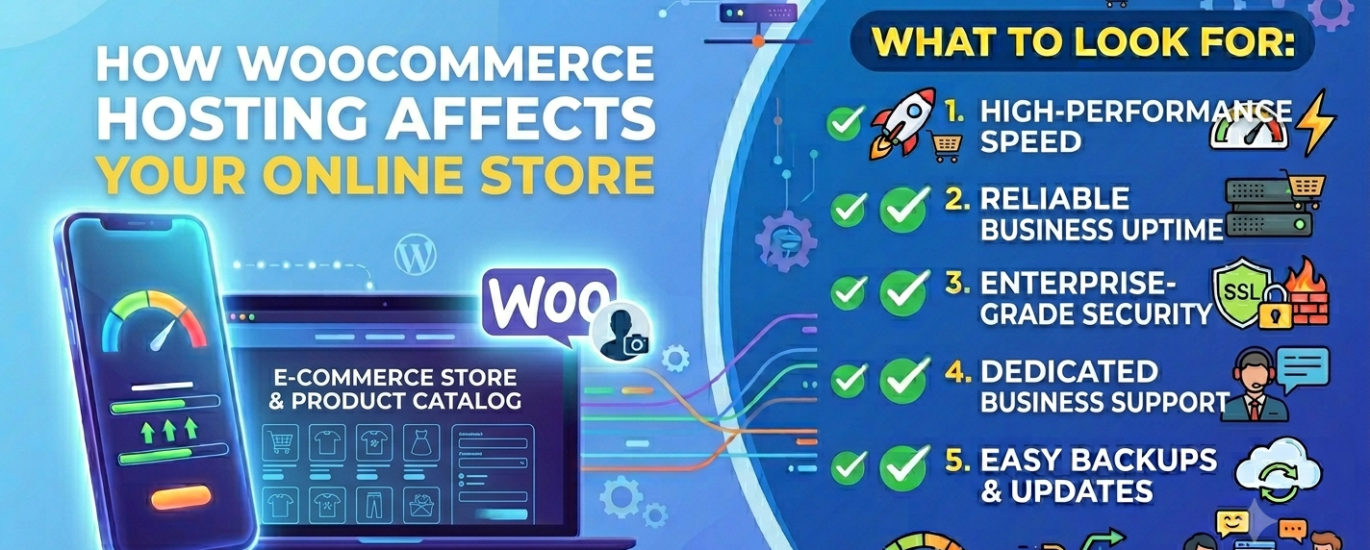
What to Look For When Choosing WordPress Hosting for a WooCommerce Store
Your hosting provider is a silent business partner in every sale your store makes. Get it wrong and you lose customers before they ever see your products.
Compare hosts rated specifically for WooCommerce performance, security, and scalability.
In This Guide
A WooCommerce store is fundamentally different from a blog or a brochure website. It runs live transactions, holds customer data, queries a product database on every page load, and must stay online around the clock. That changes what “good hosting” means — and it makes the cost of choosing wrong far higher than it would be for any other WordPress site type.
A slow blog loses a reader. A slow WooCommerce store loses a sale, a customer, and potentially a review. A WooCommerce store on weak hosting doesn’t just underperform — it actively costs money on every page load, every checkout attempt, and every second of downtime during peak trading hours.
This guide breaks down precisely what matters when evaluating hosting for WooCommerce: the technical requirements, the infrastructure decisions, and the hosting configurations that separate stores that convert from stores that frustrate.
Section 1Why WooCommerce Hosting Is a Different Problem Entirely
Most WordPress hosting guides treat all sites the same. A personal website and an online store are not the same. WooCommerce adds several layers of complexity that standard WordPress hosting is not designed to handle well:
Dynamic page generation. Product pages, cart pages, and checkout flows cannot be served from a static cache the way blog posts can. Every visitor’s cart is unique. Every checkout is a live transaction. This means your server is generating pages from scratch — querying the database, running PHP, assembling the response — far more often than it would for a content-only WordPress site. Your PHP environment and database server take the load that caching absorbs elsewhere.
Constant database load. WooCommerce writes to your MySQL or MariaDB database constantly — new orders, stock updates, customer accounts, session data, and transactional records pile up fast. On a shared server with constrained database resources, this creates bottlenecks that slow the entire checkout process.
Security and compliance obligations. Your store handles payment flows and customer personal data. Even if you use a payment gateway that processes cards off-site, you remain in scope for PCI DSS compliance obligations. Your hosting environment must support the security standards that compliance requires.
Zero tolerance for downtime. When a blog goes down for an hour, readers try again later. When a WooCommerce store goes down during a Black Friday promotion, you lose every sale that would have happened in that window. The uptime SLA your host provides is a revenue number, not a technical preference.
Performance: Speed, Server Stack, and TTFB
For a WooCommerce store, speed is conversion rate. Every 100ms of additional page load time is measurable lost revenue at scale. Performance begins at the hosting layer — before any plugin or theme optimisation has any opportunity to help.
Web Server Software
The web server your host runs is one of the most consequential infrastructure choices for WooCommerce performance. LiteSpeed, NGINX, and Apache handle concurrent requests differently, and that difference is most visible under the load a busy store generates.
LiteSpeed is the strongest choice for WooCommerce. Its event-driven architecture handles high concurrency efficiently, and its native compatibility with the LiteSpeed Cache plugin gives you server-level full-page caching, object caching, and edge caching in a single configuration. For WooCommerce specifically, LiteSpeed Cache has built-in logic to exclude cart and checkout pages from full-page caching while still accelerating everything else.
NGINX is an excellent second choice — a fast, lightweight server that handles concurrent connections well and is widely used in high-performance WordPress stacks. Many premium managed WordPress hosts run NGINX with FastCGI caching configured at the server level.
Apache is the traditional default. It is capable but less efficient under high concurrency than either NGINX or LiteSpeed. If a host is running Apache, check whether they’ve configured it with server-side caching to compensate.
Time to First Byte (TTFB)
Time-to-First-Byte is the most direct measure of how quickly your server responds to a request. For WooCommerce, a TTFB under 200ms is a reasonable target for a well-configured host. TTFB above 600ms indicates a server-level problem that no frontend optimisation will meaningfully fix.
TTFB is determined by the combination of your server’s processing power, the PHP version you’re running, your caching configuration, and the physical distance between your server’s location and your customer. PHP 8.2+ delivers significantly faster execution than older versions — hosts that still default to PHP 7.x are leaving measurable performance on the table.
Caching Architecture
WooCommerce complicates caching because dynamic pages — cart, checkout, account — cannot be fully cached. The best hosting configurations layer multiple caching types to maximise performance across both cacheable and uncacheable pages:
Full-Page Caching
Serves pre-built HTML for product listing and static pages. Must exclude cart, checkout, and My Account. LiteSpeed Cache and NGINX FastCGI handle this at the server level.
Object Caching (Redis)
Stores database query results in memory so WooCommerce doesn’t re-query for the same product data on every request. Critical for stores with large product catalogues.
CDN Integration
Offloads images, CSS, and JS to edge servers close to your customers. Reduces latency for international shoppers. Most premium hosts include CDN or integrate with Cloudflare.
Edge Caching
Caches static assets at the network edge — often at CDN PoP level. Dramatically reduces server load for media-heavy product catalogues.
PHP Version and Configuration
Your host must support PHP 8.1 as a minimum, and PHP 8.2 or 8.3 is preferable. The performance difference between PHP 7.4 and PHP 8.2 on a WordPress/WooCommerce stack is significant — benchmarks consistently show 20–30% faster execution. Check that your host lets you select and upgrade PHP versions from the control panel without raising a support ticket.
Section 3Security and PCI Compliance
A WooCommerce store is a higher-value target than a content site. It holds customer names, email addresses, order histories, and — depending on your payment setup — may handle card data flows. Security is not a feature to tick off; it is a commercial and legal obligation.
PCI DSS Considerations
PCI DSS (Payment Card Industry Data Security Standard) applies to any business that accepts card payments. Even if you use a payment gateway that handles card processing off-site — Stripe, PayPal, Square — you remain in scope for a subset of PCI requirements. Your hosting environment must support those requirements: isolated server environments, firewall controls, regular security scanning, and encrypted data in transit.
Hosts that offer managed WooCommerce hosting or a dedicated WooCommerce hosting tier typically have documentation confirming their infrastructure’s PCI compatibility. Ask directly if it isn’t clearly stated.
Security Infrastructure
Your host’s security infrastructure is your first line of defence against the automated attacks that target WooCommerce stores daily. Evaluate each of the following before committing to a provider:
- Web Application Firewall (WAF): Filters malicious traffic before it reaches your WordPress installation. Essential for blocking SQL injection attempts targeting WooCommerce’s product and order database.
- DDoS Protection: Network-level protection against traffic floods that would take down your store during peak periods. Should be included at the infrastructure level, not just as a paid add-on.
- Malware Scanning: Automated scanning of your WordPress core files, plugins, and themes for known malware signatures. Daily scanning is the minimum; real-time scanning is preferable.
- Automatic Daily Backups: Daily backups stored off-site, with one-click restoration. Your order database is your business record — its backup is not optional.
- SSL Certificate: A valid SSL certificate is mandatory for any site handling payments. Browsers flag unencrypted checkout pages as insecure, which destroys conversion. Confirm your host provides and auto-renews SSL.
- Server-Level Security Monitoring: Active security monitoring with alerts and incident response — not just reactive scanning.
Database Performance
WooCommerce is database-intensive in a way that static WordPress sites are not. Every product page load queries your product catalogue. Every order creates and updates multiple database rows. High-traffic periods generate thousands of concurrent database connections. Your database server configuration determines whether your store scales or breaks.
MySQL vs MariaDB
Both MySQL and MariaDB work with WooCommerce. MariaDB is generally preferred for its performance improvements and active open-source development. What matters more than the specific engine is how the host has configured it: connection limits, query cache settings, and whether the database server is shared with other customers or isolated to your account.
Database Optimisation for WooCommerce
WooCommerce stores accumulate database bloat quickly — expired transients, post revisions, orphaned order data, and WooCommerce session records fill your tables over time. A good hosting environment either provides database optimisation tools or integrates cleanly with plugins like WP-Optimize. More importantly, the host’s underlying database infrastructure must be powerful enough that routine bloat doesn’t materially slow query execution.
For stores with large product catalogues (1,000+ SKUs) or high order volumes, ask hosts specifically about their database server architecture: whether the database runs on the same physical machine as the web server, whether Redis object caching is available to reduce database load, and what the maximum database size and connection limits are on your plan.
Section 5Scalability and Traffic Spikes
WooCommerce stores experience traffic patterns that are more volatile than most website types. A product going viral, a seasonal sale, a newsletter promotion, or a feature in a major publication can multiply your traffic tenfold in minutes. Your host must handle that spike without returning errors to your customers — those are the customers most likely to buy.
CPU and RAM Allocation
The CPU and RAM available to your WordPress process determine how many concurrent requests your store can handle. On oversold shared hosting, these resources are throttled — and during a spike, that throttling becomes a hard ceiling that turns your store’s busiest moment into its worst customer experience.
Understand how your host handles resource limits: do they hard-stop processes when you hit limits? Do they throttle without warning? Do they offer automatic scaling, or do you need to manually upgrade your plan before a sale event? The answers to these questions are more important than the headline resource numbers in any plan comparison table.
Scalability Options
A host’s scalability options determine your ceiling. Evaluate:
Vertical Scaling
Upgrading to a larger plan with more CPU and RAM. Most hosts support this, but downtime during upgrades varies significantly.
Cloud Auto-Scaling
Cloud hosting on infrastructure like AWS, Google Cloud, or DigitalOcean can spin up resources dynamically during spikes without manual intervention.
VPS Upgrade Path
A VPS gives you dedicated resources on a virtual server. Upgrading between VPS tiers is typically fast and involves minimal downtime.
Bandwidth Headroom
Understand your bandwidth limits and what happens when you exceed them — overage charges versus throttling have very different impacts during a sale.
Server Infrastructure Provider
Where your host’s servers physically run matters for both performance and scalability. Hosts built on enterprise-grade infrastructure providers — AWS, Google Cloud, DigitalOcean, Linode, Vultr — inherit the reliability, redundancy, and global reach of those platforms. The specific data centre locations available to you determine how close your server can be to your primary customer base.
For a WooCommerce store targeting a specific geography, choosing a host with a server location in or near that market meaningfully reduces latency for your core customers — and latency at the server level is something no CDN can fully eliminate for dynamic, uncacheable pages like checkout.
Section 6Which Hosting Type Suits WooCommerce?
Not all hosting types are appropriate for WooCommerce stores. The right choice depends on your store’s current size, expected growth, and technical capacity to manage infrastructure.
Purpose-built infrastructure for WooCommerce. Typically includes server-side caching configured for WooCommerce, automatic WordPress updates, staging environments, and specialist support. The best default choice for most stores.
Best ChoiceDedicated resources on a virtual server. More control than managed hosting, requires more technical knowledge for server administration. Excellent for developers and agencies.
Strong OptionElastic resources across distributed cloud infrastructure. Best scalability ceiling of any hosting type. Ideal for stores with unpredictable or rapidly growing traffic.
Strong OptionShared server resources with many other sites. Adequate only for very early-stage stores with minimal traffic. Database and CPU limitations become serious constraints quickly as the store grows.
Avoid for GrowthFull WooCommerce Hosting Checklist
Use this checklist when evaluating any hosting provider for a WooCommerce store. Every item here has a direct impact on store performance, security, or your ability to operate effectively.
Performance
- LiteSpeed or NGINX web server (not Apache-only)
- PHP 8.1 minimum, PHP 8.2+ selectable from the control panel
- Server-level full-page caching with WooCommerce exclusion rules for cart/checkout
- Redis or Memcached object caching available
- CDN included or integrated (Cloudflare or equivalent)
- Sub-200ms TTFB on their fastest plan (verify with independent tests)
- Server location options matching your primary customer geography
Security & Compliance
- Free SSL certificate with auto-renewal (Let’s Encrypt or equivalent)
- Web Application Firewall (WAF) included at the server level
- DDoS protection at the network layer
- Daily malware scanning of core files, plugins, and themes
- Automatic daily backups with off-site storage and one-click restore
- Isolated hosting environment (no shared file system with other customers)
- PCI DSS-compatible infrastructure documentation available
- Active security monitoring with incident notification
Infrastructure & Access
- cPanel or equivalent control panel for self-management
- SSH access for developers and deployment workflows
- SFTP/FTP access for file management
- WP-CLI support for command-line WordPress management
- Staging environment for testing updates before pushing to production
- Automatic WordPress and plugin updates with rollback capability
Scalability & Reliability
- 99.9% minimum uptime SLA (99.99% preferred)
- Clear upgrade path to higher CPU and RAM tiers without downtime
- Unmetered or high bandwidth with transparent overage policies
- Auto-scaling capability (for cloud hosting tiers)
- Multiple data centre locations available
Support
- 24/7 support quality with WordPress/WooCommerce-trained staff
- Live chat for urgent issues (not ticket-only for critical problems)
- Documented WooCommerce-specific support resources
What to Avoid When Hosting a WooCommerce Store
The wrong hosting choice is often more visible in what it prevents than what it actively does wrong. These are the most common hosting mistakes WooCommerce store owners make:
Oversold Shared Hosting
Shared servers with no resource isolation put your store at the mercy of other tenants. Database throttling, CPU limits, and security vulnerabilities from neighbour accounts are real risks that compound with store growth.
No Staging Environment
Testing plugin updates or theme changes directly on a live store is dangerous. A broken update during trading hours is a converted cart to zero.
Outdated PHP
Hosts locked to PHP 7.x are running end-of-life software with known security vulnerabilities and measurably worse performance. Non-negotiable to have current PHP version support.
No Redis Caching
Without Redis object caching, every WooCommerce page load hammers your database with repeated queries for product data. On any store with real traffic, this is a serious performance drag.
Weak Backup Policy
Hosts that only retain 7 days of backups, or whose backups are stored on the same server as your site, leave you exposed. Your order database needs proper off-site backup with fast restore.
No WooCommerce Support Expertise
General WordPress support staff who don’t understand WooCommerce-specific caching exclusions, database optimisation, or PCI compliance will give you generic advice that doesn’t solve store-specific problems.
Frequently Asked Questions
Do I need managed WooCommerce hosting specifically, or will any managed WordPress hosting work?
Managed WordPress hosting works, but WooCommerce-specific managed hosting is configured with WooCommerce’s caching requirements in mind — specifically, the correct exclusions for cart, checkout, and My Account pages that generic WordPress caching setups often get wrong. If a managed WordPress host is WooCommerce-aware (check their documentation), it is entirely suitable. If their caching configuration treats all pages the same, your checkout will either break or be cached incorrectly.
What’s the minimum hosting spec for a new WooCommerce store?
For a new store with modest traffic (under a few thousand monthly visitors), a quality entry-level managed WordPress hosting plan with PHP 8.1+, server-side caching, daily backups, and SSL is sufficient. The key is choosing a host with a clear upgrade path — you want to be on a platform that can grow with your store rather than needing to migrate when you outgrow shared resources.
Does my host need to be PCI compliant?
Your host needs to provide an infrastructure environment that supports your PCI compliance obligations — but the host being PCI compliant doesn’t automatically make your store PCI compliant. Compliance is a shared responsibility: the host provides a secure, isolated environment with appropriate controls; you configure WordPress, WooCommerce, and your payment gateway to meet the remaining requirements. Ask any prospective host directly about their PCI documentation.
Can I run WooCommerce on a VPS?
Yes — a VPS is an excellent environment for WooCommerce. It gives you dedicated CPU and RAM, full control over your server stack via SSH and Linux server administration, and a clear scaling path. The trade-off is that you’re responsible for more of the server administration: keeping software updated, configuring caching, managing security. If you have developer skills or hire someone who does, a VPS often delivers better performance per pound than managed hosting at the same price point.
How does server location affect my WooCommerce store?
Dynamic pages — product pages served to logged-in users, cart, and checkout — can’t be served from a CDN edge node because they’re generated specifically for each visitor. For these pages, the physical distance between your customer and your data centre is direct latency. A store targeting UK customers hosted on a US server will have measurably slower checkout load times than the same store on a UK or European server. Use your primary customer geography to guide server location selection.
How important is uptime for a WooCommerce store compared to a standard WordPress site?
Significantly more important. For a blog or personal website, downtime is an inconvenience. For a WooCommerce store, downtime is direct revenue loss — every minute offline during trading hours is a cart that wasn’t completed. The uptime SLA your host offers should be verified against independent monitoring data, not just taken from the sales page. Look for hosts with publicly available uptime track records.
Should I use the same host for a WooCommerce store and a high-traffic site?
If they’re separate sites, they can share a host — but both a high-traffic site and a WooCommerce store have demanding resource profiles. Running them on separate hosting plans or accounts is safer than combining them on a single plan where one traffic spike could degrade the other’s performance. Some hosts offer site isolation even within a single account — confirm this before co-locating high-traffic properties.
Find the Right Host for Your WooCommerce Store
Compare hosting providers rated specifically for WooCommerce performance, security, and scalability — filtered by your store’s size and requirements.
Find My WooCommerce Host →