

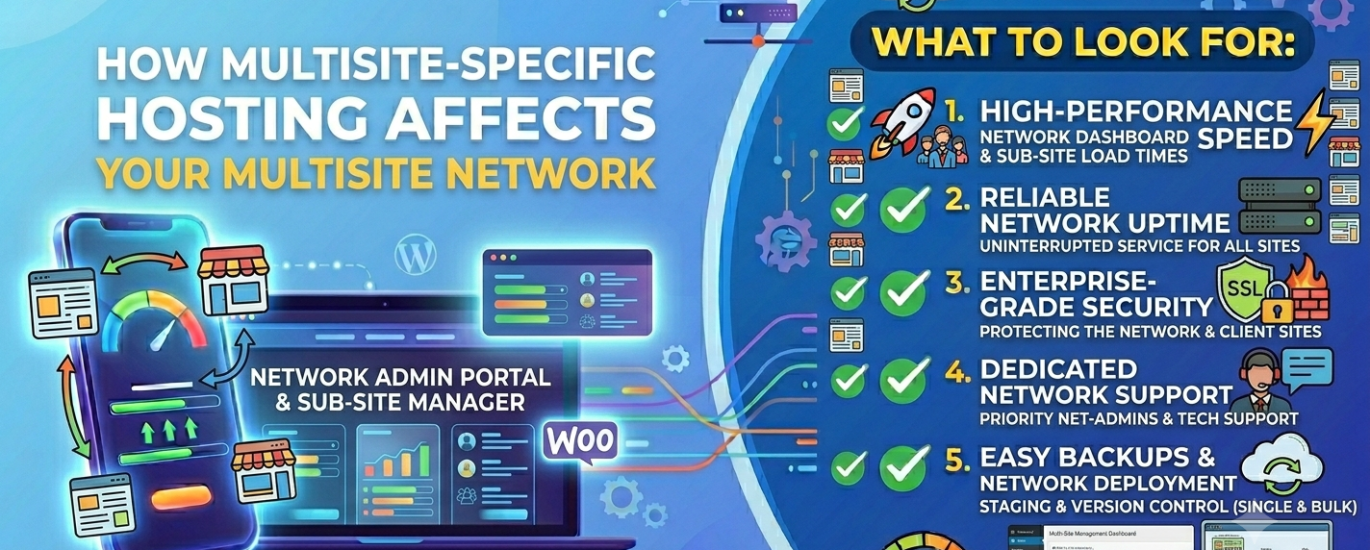
What to Look For When Choosing WordPress Hosting for a Multisite Network
WordPress Multisite multiplies the consequences of every hosting decision. The server that struggles with one site will buckle under ten — and a single misconfiguration can take your entire network offline at once.
Compare hosts rated for Multisite performance, network scalability, and developer access.
In This Guide
- What WordPress Multisite actually demands from hosting
- Server stack and performance requirements
- Database architecture for Multisite networks
- Caching strategy across a network
- Security and network-wide risk
- Scalability and resource allocation
- Developer tools and server access
- Which hosting type suits WordPress Multisite?
- Full Multisite hosting checklist
- What to avoid
- Frequently asked questions
WordPress Multisite is one of the most powerful and most demanding configurations in the WordPress ecosystem. A single installation runs an entire network of sites — each with its own content, its own users, and its own traffic — all sharing the same WordPress core files, the same database server, and the same underlying hosting infrastructure.
That shared architecture is Multisite’s greatest strength and its most significant risk. It dramatically reduces maintenance overhead compared to managing dozens of separate WordPress installations. But it also means that every hosting weakness — insufficient CPU, poor database performance, inadequate caching, misconfigured web server rewrites — is felt across every site in the network simultaneously.
This guide covers exactly what that means for hosting selection: the specific technical requirements that Multisite imposes, the infrastructure decisions that determine whether a network thrives or struggles, and the hosting configurations that support a network at any scale — from a ten-site franchise to a university system with hundreds of subsites.
Section 1What WordPress Multisite Actually Demands from Hosting
Most WordPress hosting is sized for a single site. Multisite changes the equation in ways that make those assumptions invalid. Understanding what Multisite actually asks of a hosting environment is the starting point for evaluating whether any given provider can deliver it.
Shared Database, Multiplied Load
Every site in a Multisite network writes to the same MySQL or MariaDB database. As the network grows, database query volume grows proportionally — and a host with weak database provisioning becomes the bottleneck for every site at once.
Web Server Rewrite Rules
Multisite requires specific web server rewrite rules to route subdomain or subdirectory requests to the correct subsite. On shared hosts with restricted server configurations, these rules are often unavailable or incorrectly applied.
Compounded Traffic Load
Traffic across all subsites hits the same server simultaneously. A network of 20 sites each receiving moderate traffic can easily generate the load of a single high-traffic site — and spikes on any one subsite affect resources available to all others.
Network-Wide Security Exposure
A vulnerability in a plugin or theme active across the network exposes every site simultaneously. A compromised network admin account gives an attacker access to every subsite in one step.
Backup Complexity
Backing up a Multisite network means backing up a single database containing all sites’ data plus shared file structures. Granular per-site restore capability — recovering one subsite without affecting others — requires a host that understands Multisite’s data architecture.
Caching Complexity
Full-page caching must be configured per subsite, accounting for different domains, different user states, and different content types across the network. Generic caching configurations that work for single sites often fail or create conflicts on Multisite.
Server Stack and Performance Requirements
The web server your host runs is the first critical decision for a Multisite network. Multisite requires the server to correctly handle rewrite rules that route requests for multiple domains or subdirectories to a single WordPress installation — and not all server configurations handle this reliably out of the box.
Web Server: LiteSpeed, NGINX, or Apache
LiteSpeed is the strongest choice for WordPress Multisite. It natively supports the rewrite rules Multisite requires, handles high concurrency efficiently, and integrates directly with LiteSpeed Cache — which has specific Multisite support built in, allowing per-subsite cache configuration from a single plugin installation. For networks where individual subsites have different caching requirements, this is a significant operational advantage.
NGINX is an excellent alternative. It handles concurrent connections with minimal resource overhead and is widely used in high-performance Multisite deployments. NGINX requires manual rewrite rule configuration for Multisite — something a quality managed host will handle, but which can trip up self-managed setups if not done correctly.
Apache supports Multisite via mod_rewrite but is less efficient under concurrent load than either LiteSpeed or NGINX. On a shared Apache environment with restrictive .htaccess configurations, Multisite rewrite rules may not work at all — this is one of the most common reasons Multisite fails to install correctly on entry-level shared hosting.
PHP Version and Configuration
A Multisite network running on outdated PHP is paying a compounded performance penalty — slower execution on every page request across every subsite. PHP 8.2 or 8.3 is the correct target. The performance improvement over PHP 7.4 is measurable on a single site; across a network of 20 or 50 sites generating thousands of requests per hour, that improvement has a meaningful impact on server load and therefore on the headroom available for traffic growth.
Confirm that your host lets you select the PHP version at the account level and that it applies consistently across the Multisite network — not just to the primary domain.
Time to First Byte Across the Network
TTFB on a Multisite network is harder to keep low than on a single site, because every subsite’s requests are competing for the same server resources and hitting the same database. A well-configured Multisite network with Redis object caching and server-level full-page caching can achieve sub-200ms TTFB per subsite. Without those layers, TTFB climbs as the network grows — and no amount of front-end optimisation compensates for a slow origin server.
Section 3Database Architecture for Multisite Networks
The database server is the most critical infrastructure component for a WordPress Multisite network. Unlike a single-site installation where database load is proportional to that site’s traffic, a Multisite network concentrates the database load of every subsite into a single database — and that concentration compounds as the network scales.
How Multisite Uses the Database
WordPress Multisite creates separate database tables for each subsite — wp_2_posts, wp_3_posts, and so on — while sharing global tables for users, site metadata, and network settings. This means a 50-site network has potentially hundreds of active database tables, all within the same database, all being queried simultaneously by different subsites’ page loads.
On a host with weak MySQL or MariaDB provisioning — low connection limits, shared database server resources, no query optimisation — this architecture creates severe bottlenecks at scale. Slow database queries on one subsite’s page load consume connection resources that slow every other subsite’s queries simultaneously.
What to Require from Your Database Setup
- Dedicated or isolated database server — not shared with other hosting customers
- High connection limits — a 50-site network with modest traffic can easily generate hundreds of concurrent database connections
- MariaDB 10.6+ or MySQL 8.0+ for performance and compatibility with current WordPress requirements
- Redis object caching to reduce repeat database queries across subsites
- Database-level monitoring and slow query logging available for performance diagnosis
Caching Strategy Across a Multisite Network
Caching is more complex on a Multisite network than on a single WordPress site — and more important. Without a well-configured caching layer, every page request across every subsite hits the database and executes PHP from scratch. At network scale, that’s an unsustainable resource model.
Object Caching with Redis
Redis object caching is the single most impactful performance configuration for a Multisite network. It stores the results of database queries in memory so that subsequent requests for the same data — product listings, post queries, user session data, site options — are served from RAM rather than re-queried from the database. On a network where multiple subsites may serve similar content types, the cache hit rate is high and the database load reduction is substantial.
Redis must be configured to handle Multisite’s table prefix structure correctly — each subsite needs isolated cache keys to prevent data from one subsite appearing on another. A host that offers Redis as a standard feature and has documented Multisite compatibility is significantly preferable to one where Redis requires manual server configuration.
Full-Page Caching
Server-level full-page caching serves pre-built HTML responses for cacheable pages — dramatically reducing PHP execution and database load for public-facing content. On a Multisite network, full-page caching must be configured per subsite, accounting for:
Domain Mapping
Subsites using custom domains (via domain mapping) need cache rules applied to each domain separately, not just the primary network domain. A misconfigured cache serves the wrong subsite’s cached content to the wrong domain.
Logged-In User States
Cached pages must not be served to logged-in users — especially important on networks where each subsite has its own user base. Cache bypass rules must account for network-level admin sessions as well as per-subsite logins.
WooCommerce Subsites
If any subsite runs WooCommerce, cart and checkout pages must be excluded from full-page caching. This exclusion must be configured for each WooCommerce subsite individually.
CDN Integration
A CDN offloads static assets — images, CSS, JS — to edge servers close to visitors. On a Multisite network, CDN configuration must handle assets from multiple subsites and potentially multiple domains without cache conflicts.
Security and Network-Wide Risk
Security on a WordPress Multisite network operates at a different risk level than on a single site. Every vulnerability that exists in a plugin or theme active across the network is a network-wide vulnerability. A compromised Super Admin account — the network administrator role — gives an attacker full control over every subsite simultaneously.
Hosting-Level Security Infrastructure
Your host’s security infrastructure is the first line of defence against attacks that target the network at the server level. For a Multisite network, each of the following is non-negotiable:
- Web Application Firewall (WAF): Filters malicious traffic before it reaches WordPress. On a Multisite network, the WAF must handle requests across all subsite domains — not just the primary domain.
- DDoS Protection: A volumetric attack against any domain in your network hits the same server infrastructure. Network-level DDoS protection is essential — not just for your primary domain but for every mapped domain in the network.
- Malware Scanning: Automated scanning of WordPress core files, all active plugins, and all active themes. On a Multisite network, the shared codebase means a single infected file can serve malicious content across every subsite.
- Daily Backups: Automated daily backups with off-site storage. For a Multisite network, backups must capture the entire database and all subsite file structures. Confirm the host supports point-in-time restoration for large Multisite databases.
- SSL on Every Domain: Every subsite — including those using custom domain mapping — needs a valid, auto-renewing SSL certificate. Wildcard SSL certificates cover subdomain-based networks; domain-mapped subsites need individual certificates managed reliably.
- Active Security Monitoring: Real-time monitoring at the server level, with alerts that reach you before a problem propagates across the network.
Scalability and Resource Allocation
A Multisite network’s resource requirements grow with the network — more subsites, more content, more traffic, more database operations. The hosting infrastructure must scale with that growth without forcing a complete platform migration when limits are reached.
CPU and RAM at Network Scale
The CPU and RAM available to your WordPress process determine how many concurrent requests the network can handle across all subsites. On shared hosting with hard resource caps, a traffic spike on one subsite can exhaust available resources and slow every other subsite simultaneously — a “noisy neighbour” problem that is internal to your own network rather than caused by other customers.
For networks above a modest size, dedicated resources — either via a VPS or a cloud hosting tier with guaranteed allocation — are the only reliable way to ensure that one subsite’s traffic pattern doesn’t degrade the others.
Bandwidth Across the Network
A Multisite network’s bandwidth consumption is the aggregate of all subsites. A network of 20 sites each generating 50GB of monthly bandwidth is a 1TB/month hosting account. Understand how your host measures and bills bandwidth across a Multisite installation — some hosts count it per-site on the account, others at the account level — and confirm your plan has sufficient headroom for the network’s current and projected traffic.
Scalability Path
Choose a host with a clear scalability path. A network that starts with 10 subsites and grows to 100 needs to be able to upgrade CPU, RAM, and storage incrementally — without migrating the entire Multisite installation to a new platform. Hosts built on enterprise cloud infrastructure (AWS, Google Cloud, DigitalOcean, Vultr, Linode) typically offer the most flexible scaling path.
Section 7Developer Tools and Server Access
WordPress Multisite administration requires more direct server access than single-site WordPress. Network-level operations — importing databases, configuring domain mapping, diagnosing rewrite rule failures, running bulk updates — all happen more efficiently via the command line than through any web interface.
SSH and WP-CLI
SSH access is essential for any Multisite administrator. Direct server access is required for diagnosing server-level configuration issues, running database operations, and deploying updates efficiently. Without SSH, you’re dependent on the hosting control panel for operations that a command line handles in seconds.
WP-CLI has full Multisite support — allowing you to list sites, activate and deactivate plugins network-wide, manage users across the network, and run database operations for specific subsites, all from the command line. On a large network, WP-CLI is the only practical way to manage bulk operations that would otherwise require logging into each subsite individually through the admin interface.
Control Panel and File Access
A capable cPanel or equivalent gives non-technical administrators access to DNS management, email, and basic file operations without needing server command-line access. For agencies or enterprises where different team members have different levels of technical access, a well-configured control panel separates concerns cleanly.
SFTP access with support for key-based authentication is the minimum for secure file operations. For Multisite networks managed via CI/CD pipelines or Git-based deployments, confirm that the host supports deployment workflows that don’t require manual file uploads.
Server Administration
Multisite networks large enough to justify a VPS often benefit from direct Linux server administration capability. Full root access allows precise configuration of the web server, database server, Redis, and PHP-FPM pools — enabling performance tuning that no managed hosting configuration can match. The trade-off is that this requires in-house server expertise or a dedicated DevOps resource.
Which Hosting Type Suits WordPress Multisite?
Not all hosting types are appropriate for running a WordPress Multisite network. The right choice depends on the size of the network, the technical capability available to manage it, and the traffic load it generates.
Dedicated CPU and RAM on a virtual server with full root access. Best balance of control, performance, and cost for most Multisite networks. Requires in-house Linux server administration or a managed VPS provider.
Best for MostHandles server configuration and security automatically. Look specifically for providers with documented Multisite support — not all managed hosts configure Multisite rewrites or network-level caching correctly by default.
Strong OptionElastic scalability across distributed cloud infrastructure. Best option for large or rapidly growing networks. Handles traffic spikes across multiple subsites without resource contention.
Strong OptionShared servers frequently lack the correct web server rewrite configuration for Multisite, impose database connection limits that break under network load, and have no resource isolation between accounts. Not appropriate for any production Multisite network.
AvoidFull WordPress Multisite Hosting Checklist
Use this checklist when evaluating any hosting provider for a WordPress Multisite network.
Server Stack
- LiteSpeed or NGINX web server with confirmed Multisite rewrite rule support
- PHP 8.1 minimum, PHP 8.2+ preferred and selectable from the control panel
- Confirmed support for both subdomain and subdirectory Multisite configurations
- Sub-200ms TTFB verifiable under network-level load
Database
- Dedicated or isolated database server — not shared with other customers
- MariaDB 10.6+ or MySQL 8.0+
- High database connection limits sufficient for network-scale concurrent requests
- No restrictive database size caps that would constrain network growth
- Redis object caching with documented Multisite compatibility
Caching
- Server-level full-page caching configurable per subsite
- Cache configuration supports custom domain mapping for subsites
- Correct logged-in user cache bypass across network-level and per-subsite sessions
- CDN integration supporting multi-domain asset delivery
Security
- Web Application Firewall covering all subsite domains
- DDoS protection at the network level across all mapped domains
- Daily malware scanning of shared core files, plugins, and themes
- Automatic daily backups of the full network — database and all file structures — with off-site storage
- Wildcard SSL certificate for subdomain networks; individual SSL auto-renewal for domain-mapped subsites
- Active security monitoring with incident notification
Developer Tools
- SSH access with key-based authentication
- WP-CLI with full Multisite command support
- SFTP access for secure file operations
- cPanel or equivalent for DNS and domain management across subsite domains
- Full network staging environment — not just per-site staging
- Centralised WordPress core and plugin update management with rollback
Scalability & Reliability
- Dedicated CPU and RAM with clear upgrade path
- Sufficient bandwidth headroom for aggregate network traffic
- 99.9% minimum uptime SLA — 99.99% preferred for networks serving commercial sites
- Flexible server location options matching your network’s primary audience geography
- Multiple data centre regions available for latency optimisation
- 24/7 support with confirmed WordPress Multisite expertise
What to Avoid
Shared Hosting of Any Kind
Shared hosting routinely fails Multisite at the server configuration level — incorrect rewrite rules, database connection limits, and resource throttling make it unsuitable for any production Multisite network regardless of size.
No Network Staging Environment
Testing a network-activated plugin update on a single-site staging environment is not equivalent to testing it on a Multisite network. Without a full network staging environment, every update to a network-activated plugin is a live experiment.
Hosts Without Multisite Experience
Many managed WordPress hosts are configured for single-site installations. Deploying a Multisite network on a host that hasn’t explicitly configured for it — rewrite rules, cache configuration, SSL management across domains — creates problems that generic support staff cannot diagnose.
No Redis Object Caching
Without Redis, every page load across every subsite is a full round-trip to the database. At network scale, this is not a performance issue — it’s a capacity issue that will manifest as site-wide slowdowns under normal traffic.
Database Size Caps
Some hosts impose database size limits per account. A Multisite network growing across dozens of subsites will hit those limits faster than you expect. Confirm there are no caps that will require a disruptive migration when the network reaches maturity.
Single-Domain SSL Management
If your network uses domain mapping, SSL certificates must be provisioned and renewed for each mapped domain. A host that only manages SSL for the primary account domain will leave mapped subsite domains with expired certificates and browser security warnings.
Frequently Asked Questions
Can I run WordPress Multisite on shared hosting?
Technically possible, but not practical for any production use. Shared hosting environments frequently have incorrect or restricted web server rewrite configurations that prevent Multisite from installing correctly. Even when the installation succeeds, database connection limits, CPU throttling, and lack of Redis make shared hosting unsuitable for a network generating any meaningful traffic. A VPS is the practical minimum for a production Multisite network.
Should I use subdomain or subdirectory structure for my Multisite network?
Both are supported by WordPress and by quality hosts. Subdomain networks (site1.example.com) require wildcard DNS configuration and a wildcard SSL certificate. Subdirectory networks (example.com/site1) are simpler to configure but cannot be used on an existing WordPress site that has been running for more than a month. For most new networks, subdirectory is easier to set up; for networks with distinct branding per subsite, subdomain or domain mapping gives more flexibility.
How does domain mapping work with Multisite SSL?
Domain mapping allows each subsite to use its own custom domain (e.g., clientsite.com) rather than a subdomain of the network’s primary domain. Each mapped domain requires its own valid SSL certificate. Quality managed hosts with Multisite support handle SSL provisioning and renewal for mapped domains automatically. On a self-managed VPS, this typically means configuring Let’s Encrypt via Certbot for each domain — manageable at small scale, but requiring automation as the network grows.
What’s the difference between Multisite and running separate WordPress installations?
WordPress Multisite shares a single codebase and database across all sites — reducing maintenance overhead but creating a single point of failure. Separate installations are fully isolated — a problem with one doesn’t affect the others — but require individual updates, backups, and server resources for each. Multisite is the right choice when sites are structurally similar and benefit from shared administration. Separate installations are right when sites need full isolation, different plugin sets, or independent staging environments. For agencies managing diverse client sites, separate installations on isolated hosting environments are generally the safer default.
How do I back up a WordPress Multisite network?
A complete Multisite backup captures two things: the entire database (which contains all subsites’ content, settings, and user data in a single database with per-site table prefixes) and the entire wp-content directory (which contains uploads, plugins, and themes shared across the network). Daily automated backups stored off-site are the minimum. Confirm your host’s backup system can handle large Multisite databases reliably and that point-in-time restoration is available — restoring the entire network to recover one subsite’s content is not acceptable at scale.
How many sites can a WordPress Multisite network support?
WordPress Multisite has no hard limit on the number of subsites. The practical limit is determined entirely by your hosting infrastructure — specifically the CPU, RAM, database server capacity, and caching configuration available to the network. Networks of hundreds of sites run successfully on well-provisioned cloud infrastructure. The question is not how many sites Multisite can handle in theory — it’s whether your hosting environment is resourced appropriately for the traffic those sites generate in practice.
Does server location matter for a Multisite network with subsites serving different regions?
Yes — and this is one of the genuine limitations of Multisite compared to separate installations. A Multisite network runs on a single server in a single server location. If subsites serve audiences in different regions — a UK subsite and a US subsite on the same network, for example — one of them will have higher latency than if hosted locally. A CDN mitigates this for static assets; for dynamic content on uncached pages, the origin server’s location remains a constraint. For networks where geographic performance is critical per subsite, separate installations on regionally optimised hosting may outperform a centralised Multisite deployment.
Find the Right Host for Your Multisite Network
Compare hosting providers rated for WordPress Multisite — server configuration, database performance, and network-scale reliability.
Find My Multisite Host →