

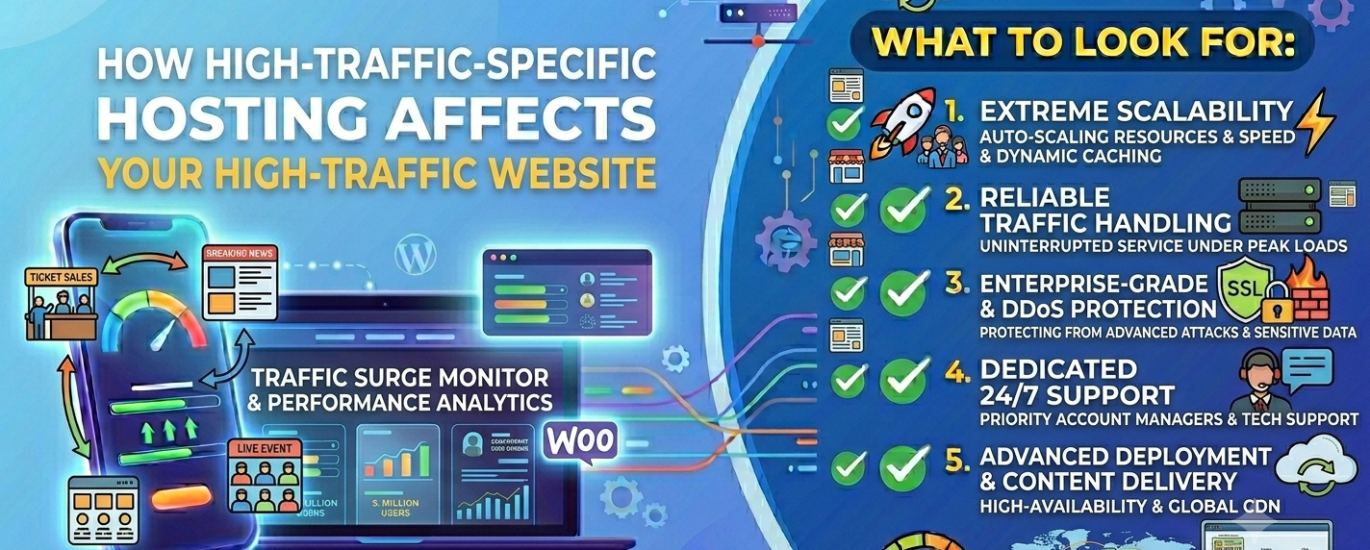
How to Choose WordPress Hosting for a High-Traffic Site
When thousands of visitors hit your site simultaneously, your host either holds or breaks. This guide explains exactly what to look for — and why most hosting advice ignores what high-traffic WordPress sites actually need.
Find the Best Host for Your Site →Most WordPress hosting guides are written for sites receiving a few thousand visitors a month. A high-traffic WordPress site operates in a different category entirely — one where the wrong host doesn’t just slow your pages down, it takes your entire site offline at the exact moments that matter most. Whether you’re running a media publication, a high-volume WooCommerce store, a business website after a press mention, or a web agency managing client sites with unpredictable traffic, the infrastructure decisions are materially different from choosing shared hosting for a new blog.
This guide cuts through the marketing noise and explains the specific technical requirements of high-traffic WordPress hosting — what to evaluate, what to avoid, and how to make the right call for your site’s actual needs.
Section 1Why High-Traffic WordPress Hosting Is Fundamentally Different
WordPress is a dynamic CMS. Every time a visitor lands on a page, the default behaviour is to execute PHP, query the MySQL or MariaDB database, assemble the page, and deliver it. At low traffic volumes — a few hundred concurrent visitors — that cycle runs without issue on modest CPU and RAM allocations. At high traffic, each of those steps becomes a chokepoint. The database server struggles to respond to hundreds of simultaneous queries. The PHP process pool exhausts its worker threads. The web server queues requests that never complete. The result: 503 errors, blank white screens, and a site that is inaccessible to exactly the audience you worked hardest to attract.
High-traffic WordPress hosting solves this at the infrastructure level — not with plugins. A server-side caching layer intercepts repeat requests before they ever reach PHP or the database. A properly configured caching stack — full-page caching, object caching via Redis or Memcached, and CDN edge caching — reduces the server load of a high-traffic page to a fraction of its uncached cost. Without that infrastructure, no amount of plugin optimisation makes a site genuinely scalable.
The 6 Infrastructure Bottlenecks That Collapse Under Real Traffic
Understanding where WordPress performance breaks down at scale gives you a precise framework for evaluating hosting providers. These are the six failure points that separate a host capable of handling high traffic from one that cannot.
Every uncached WordPress request fires at least one database query. Under high concurrency, a MySQL/MariaDB instance on shared infrastructure becomes the first point of failure — query queues back up, connections time out, and the site returns errors.
PHP-FPM allocates a fixed number of worker processes. When concurrent requests exceed the pool, new visitors wait in a queue. On oversold shared servers, that pool is shared across hundreds of sites — your workers are consumed before your traffic spike even begins.
Each PHP process, MySQL thread, and web server connection consumes RAM. When the server exhausts its memory allocation, the OS begins swapping to disk — catastrophically degrading response times for every visitor on the server.
Without server-side full-page caching, every visitor — including the 10,000 reading the same viral post — triggers a full PHP and database cycle. Caching at the server level is not optional for high-traffic WordPress sites.
A high-traffic site moving significant image and video content can saturate bandwidth allocations quickly. Hosts with hard caps suspend accounts or throttle delivery — often mid-spike, when traffic is at its peak value.
Physical distance between data centres and visitors adds unavoidable latency. For a site with a geographically distributed audience, a single-region server without CDN integration delivers measurably slower TTFB to international readers.
Why the Web Server Software Matters at Scale
The choice of web server software — LiteSpeed, NGINX, or Apache — has a disproportionate impact at high traffic volumes. Apache’s process-per-request model consumes substantially more memory per concurrent connection than the event-driven architectures of LiteSpeed and NGINX. Under high concurrency, this difference is significant: an Apache server at 500 concurrent requests may be consuming three to four times the memory of a comparable LiteSpeed or NGINX deployment serving the same traffic. For WordPress specifically, LiteSpeed’s native integration with LSCache delivers server-level full-page caching without any plugin overhead — a meaningful performance advantage at scale. NGINX with FastCGI caching is a strong alternative, particularly in reverse-proxy configurations.
Beyond the web server, the overall server performance stack matters: NVMe SSD storage reduces I/O bottlenecks for database reads; modern PHP 8.2+ with OPcache enabled cuts per-request execution time significantly; and a properly configured MySQL/MariaDB server with query caching handles concurrent reads far more efficiently than out-of-the-box defaults.
Section 3What to Look For: The 10 Criteria That Matter Most
Not all hosting features carry equal weight for a high-traffic site. The following criteria are ranked by their impact on performance, reliability, and resilience — the three dimensions that matter most when your site is under real load.
-
1Server-Side Caching Stack
Full-page caching at the server level is the single highest-impact feature for a high-traffic WordPress site. It eliminates PHP execution and database queries for cached pages — reducing server load by 80–95% for repeat requests. Look specifically for: full-page cache (ideally LiteSpeed Cache, FastCGI, or Varnish), object caching via Redis or Memcached, OPcache for PHP bytecode, and CDN edge caching for static assets. A host offering all four layers can serve thousands of concurrent visitors on infrastructure that would collapse under the same load without caching.
-
2Horizontal Scalability
A high-traffic site’s biggest challenge isn’t average load — it’s traffic spikes. A product launch, a viral article, or a newsletter drop can deliver five to twenty times your normal hourly traffic in minutes. Your host must be able to scale resources horizontally — adding capacity on demand rather than capping out on a fixed allocation. Cloud hosting on platforms like AWS, Google Cloud, DigitalOcean, Linode, or Vultr enables elastic scaling. Fixed-resource shared hosting does not.
-
3Time-to-First-Byte (TTFB)
Google’s Core Web Vitals use TTFB as a key signal for Largest Contentful Paint (LCP) scoring. A target of under 200ms is achievable on well-configured hosting; anything over 500ms is a ranking liability. TTFB is determined at the hosting layer — by server response speed, caching effectiveness, and data centre proximity to your visitors. No amount of front-end optimisation compensates for a host that is fundamentally slow to respond.
-
4Uptime SLA & Redundancy
For a high-traffic site, downtime is not an inconvenience — it is direct revenue loss, SEO damage, and audience erosion. The target is 99.99% uptime (under 53 minutes per year), backed by genuinely redundant infrastructure: multiple availability zones, failover DNS, and proactive monitoring. Read the SLA terms carefully: most 99.9% guarantees carry service credit clauses that compensate you a fraction of your monthly fee — far less than the actual cost of the downtime. Independently verify uptime claims through third-party monitoring data, not provider marketing pages.
-
5Security Infrastructure
High-traffic sites are high-value targets. A DDoS attack on a site receiving 100,000 daily visitors is far more damaging than one on a small blog — the attacker knows the disruption is costly. Evaluate your host’s security stack across five dimensions: DDoS protection at the network edge, a Web Application Firewall (WAF), server-level malware scanning, active security monitoring, and SSL certificate management. Automatic daily backups with off-server storage are also non-negotiable — at scale, a compromise without a clean restore point is a catastrophic outcome.
-
6Dedicated CPU & RAM Resources
High-traffic sites cannot share CPU and RAM with hundreds of other accounts. On oversold shared hosting, a neighbouring site’s traffic spike directly degrades your own site’s performance — the “noisy neighbour” problem. A virtual server, VPS, or managed WordPress hosting environment with isolated, guaranteed resource allocations is essential once your site exceeds 50,000 monthly visitors.
-
7Data Centre Network & CDN
The physical location of your host’s data centres determines baseline latency for every region you serve. A site with international traffic should either choose a host with server locations close to its primary audience or use a host that integrates CDN edge delivery as part of its standard stack. CDN integration serves your static assets — images, CSS, JavaScript — from nodes physically close to each visitor, dramatically reducing load time for geographically distributed audiences without additional server load.
-
8Managed Server Administration
Running a high-traffic site on self-managed infrastructure requires real Linux server administration skill — configuring web servers, tuning databases, managing SSH access, and responding to incidents at 2am. For most site owners, managed WordPress hosting that handles server administration, core updates, and security monitoring automatically is a significantly better trade-off than the cost savings of a self-managed VPS. The management overhead of unmanaged infrastructure at scale is a full-time workload.
-
9Support Quality Under Pressure
A hosting support team that answers ticket requests within 48 hours is useless when your site is down during a product launch. High-traffic sites require hosts with genuinely responsive 24/7 support staffed by engineers with deep WordPress and infrastructure expertise — not first-line generalists reading from a knowledge base. Evaluate support quality pre-purchase by testing response speed and depth on a complex technical question before committing to a plan.
-
10WordPress Performance Optimisation Features
Beyond raw server power, look for hosts that include WordPress-specific performance tools in their stack: image optimisation, built-in caching management, database optimisation, and site performance monitoring. Access to WP-CLI for command-line WordPress management is important for technical operators. At scale, plugin and theme compatibility with the server stack — particularly around caching — becomes a routine management consideration rather than an occasional issue.
Get a Personalised High-Traffic Hosting Recommendation
Answer 5 quick questions about your site’s traffic, technical level, and priorities — WP Host Finder matches you to the best-fit providers in under 60 seconds.
Find the Right Host for My Site →Which Hosting Type Can Handle High Traffic?
There are four main WordPress hosting architectures. Only two of them are genuinely appropriate for high-traffic sites — and the right choice depends on your technical capability as well as your traffic volume.
Shared Hosting
Fixed CPU/RAM shared across hundreds of accounts. Cannot handle consistent traffic above ~30,000 monthly visitors without degradation. Appropriate only for early-stage or low-traffic sites.
Managed WordPress Hosting
Dedicated WordPress infrastructure with server administration, security monitoring, backups, and caching handled automatically. The right choice for most high-traffic sites that want performance without infrastructure management overhead. Scales to 500,000+ monthly visitors on premium tiers.
Cloud Hosting
Elastic virtual server infrastructure on AWS, GCP, DigitalOcean, Vultr, or Linode. Horizontal scalability makes it the strongest option for unpredictable traffic spikes. Requires either technical proficiency in Linux administration or a managed cloud layer.
VPS Hosting
Isolated virtual server with dedicated resources and full SSH/CLI access. Strong performance but significant server administration overhead. Best for developer-operators comfortable with Linux server management who want full control at lower cost than managed hosting.
Managed WordPress Hosting vs. Self-Managed Cloud: The Real Trade-Off
The most consequential hosting decision for a high-traffic site is the managed versus self-managed question. Managed WordPress hosting abstracts away the infrastructure complexity — the host configures and maintains the web server, database, caching layers, security stack, and WordPress updates automatically. You pay a premium for that management, but the premium is straightforward to justify: a DevOps engineer capable of managing a self-hosted WordPress stack at scale costs significantly more per month than the difference between managed and unmanaged plans.
Self-managed cloud hosting on AWS, Google Cloud, DigitalOcean, Linode, or Vultr gives you maximum flexibility and cost efficiency at high resource volumes — but it requires you to own the entire server administration workload. Configuring NGINX or LiteSpeed, tuning PHP-FPM worker pools, setting up Redis object caching, managing SSL certificates, and responding to security incidents are ongoing responsibilities. For a media company or large e-commerce operation with dedicated technical staff, this is a sensible trade-off. For most growing sites, it is not.
| Site Scale | Monthly Visitors | Recommended Type | Key Requirement | Approx. Cost |
|---|---|---|---|---|
| Growing site | 30,000 – 100,000 | Entry managed WP | Server caching + isolated resources | $30 – $60/mo |
| High-traffic site | 100,000 – 500,000 | Premium managed WP | Scalability + 99.99% SLA | $60 – $200/mo |
| Enterprise / media | 500,000+ | Cloud or enterprise managed | Horizontal scale + multi-region | $200 – $1,000+/mo |
| Technical operators | Any volume | VPS + self-managed stack | Linux admin capability | $20 – $100/mo |
A Note on WooCommerce and Multi-Site at Scale
WooCommerce sites and WordPress multi-site installations have additional hosting requirements beyond standard high-traffic WordPress. WooCommerce generates a high proportion of uncacheable dynamic requests — cart pages, checkout flows, account dashboards — that bypass full-page caching entirely. This means the underlying PHP and database server performance must be strong enough to handle those requests under load, independently of your caching layer. Dedicated WooCommerce hosting is optimised for this pattern. Multi-site networks require hosts with sufficient resource headroom to serve multiple domains simultaneously, plus compatible control panel and core file management tooling for network-level administration.
Section 5What to Avoid When Scaling Your WordPress Site
The mistakes that cause the most damage to high-traffic sites are usually not technical errors — they’re hosting decisions that made sense at lower traffic volumes but become catastrophic liabilities at scale.
Staying on Shared Hosting Past Its Ceiling
The most common and costly mistake. Shared hosting is engineered for low-traffic sites. As your site grows, the shared CPU and RAM pool becomes a hard ceiling that cannot be raised without migrating to a different hosting type. Sites that delay this migration typically experience degraded performance, intermittent outages, and TTFB regression — all of which compound into SEO damage before the problem is addressed.
Choosing a Host Without a Genuine Caching Architecture
Many hosts describe themselves as “WordPress-optimised” without implementing genuine server-side caching. A WordPress caching plugin running on an uncached server is not a substitute. Ask specifically what caching layers the host implements at the server level: full-page cache, Redis or Memcached object caching, OPcache, and edge CDN. If the answers are vague, the infrastructure is not built for high traffic.
Ignoring the PCI and Security Requirements of High-Traffic Commerce
For high-traffic WooCommerce sites and sites handling payment data, PCI compliance is a legal requirement, not an optional upgrade. Many budget hosts do not provide the isolated environment or audit logging needed to maintain PCI compliance. Evaluate this requirement explicitly when choosing hosting for any site that processes card payments at scale.
Underestimating Support Quality Until a Crisis
A high-traffic site’s support needs are qualitatively different from a low-traffic blog’s. When your site goes down, you need an engineer who can diagnose database connection pool exhaustion, PHP worker limits, or a caching misconfiguration — not a support agent reading from a troubleshooting flowchart. The quality of support is the most difficult variable to evaluate pre-purchase and the most consequential one post-purchase. Test it thoroughly before committing.
Locking Into a Host With No Scalability Path
A hosting provider with no clear upgrade trajectory forces a disruptive migration at exactly the worst time — when your site is under load and your audience is growing. Evaluate the scalability path before you need it: does the host offer tiered plans that grow with your traffic, or does growth require moving to a new provider entirely? The cost of a forced emergency migration — in downtime, development time, and SEO risk during the transition — always exceeds the premium of a host with a genuine upgrade path.
Your High-Traffic Site Deserves the Right Foundation
WP Host Finder analyses your site’s specific needs — traffic volume, technical level, budget, and infrastructure priorities — and surfaces the best-matched hosts for a genuinely high-traffic WordPress deployment.
Find the Best Host for My High-Traffic Site →WordPress High-Traffic Hosting — Common Questions
At what traffic level should I upgrade from shared to managed or cloud hosting?
The practical ceiling for quality shared hosting — even on a well-configured LiteSpeed server with server-side caching — is approximately 30,000–50,000 monthly visitors for a typical content site. Beyond that threshold, the shared CPU and RAM pool begins to constrain performance under concurrent load. For a WooCommerce site generating uncacheable dynamic requests, that ceiling is lower — often around 15,000–20,000 monthly visitors. The signal to migrate is usually a pattern of intermittent slowdowns during peak hours, rather than a hard number. Don’t wait for an outage to trigger the upgrade.
Does managed WordPress hosting actually scale to enterprise traffic levels?
Premium managed WordPress hosting from providers operating on major cloud infrastructure (AWS, GCP) scales comfortably to millions of monthly visitors. The key distinction is between entry-level managed plans (which are closer to premium shared hosting) and enterprise-tier managed plans running on dedicated cloud infrastructure with horizontal scalability. If you’re evaluating managed hosting for traffic above 500,000 monthly visitors, focus on providers offering dedicated infrastructure, auto-scaling, and multi-region data centre options — not just the “managed” label.
How important is server location for a high-traffic site?
Very important — particularly for sites with a concentrated regional audience. Physical distance between server and visitor adds latency that cannot be eliminated through software optimisation. For a site whose majority audience is in a specific region, choosing a host with data centres in or near that region delivers meaningfully lower TTFB for those visitors. For sites with genuinely global audiences, CDN integration that serves static assets from edge nodes worldwide is the most effective mitigation — but it doesn’t replace the need for a primary server close to your heaviest-traffic regions.
What is object caching and why does a high-traffic site need it?
Object caching stores the results of expensive database queries in fast in-memory storage — typically Redis or Memcached — so that repeat requests can retrieve the data without hitting the database again. For a WordPress site, this means that frequently-accessed data (navigation menus, widget content, option values, user sessions) is served from RAM rather than requiring a fresh MySQL query each time. At high traffic volumes, object caching dramatically reduces database load, lowers query response times, and allows the same database server to serve far more concurrent users. It’s a foundational component of any high-traffic WordPress stack alongside full-page caching.
Should I use a CDN in addition to my hosting provider’s caching?
Yes, for almost all high-traffic sites. Your host’s server-side caching optimises the response from your origin server. A CDN distributes your static assets — images, CSS, JavaScript — to edge nodes physically close to each visitor, so those assets are delivered from a server potentially hundreds of miles closer to the reader than your origin. The two layers serve different purposes and stack on top of each other. For high-traffic sites, the combination of server-side origin caching and CDN edge delivery is the standard architecture. Many premium managed WordPress hosts include CDN integration as part of their offering.
What access tools should I expect for a high-traffic WordPress hosting account?
High-traffic hosting environments typically provide more direct server access than entry-level plans. Expect: SSH access for secure remote server management, WP-CLI for command-line WordPress operations (bulk updates, database exports, search-replace), SFTP/FTP for file transfers, and either cPanel or a proprietary dashboard for account management. On fully managed plans, some of these access layers are provided but the host handles the actual administration tasks. On self-managed VPS or cloud plans, you own the full server administration responsibility across all of these access points.
How do I verify a host’s uptime claims independently?
Don’t rely on provider marketing copy. Before committing to a host, search for their name on independent uptime monitoring aggregators and hosting community review sites. Look for independently published data covering at least 12 months — not a 30-day sample. Check whether the host publishes a public status page with historical incident data. Review their uptime SLA terms carefully: understand what constitutes a qualifying outage, what the compensation structure is, and whether the SLA covers your specific plan tier. The difference between a host delivering 99.9% and 99.99% uptime is the difference between 8.7 hours and 53 minutes of downtime annually — a significant gap for a monetised high-traffic site.
