WP Cloud
vs
Kinsta:
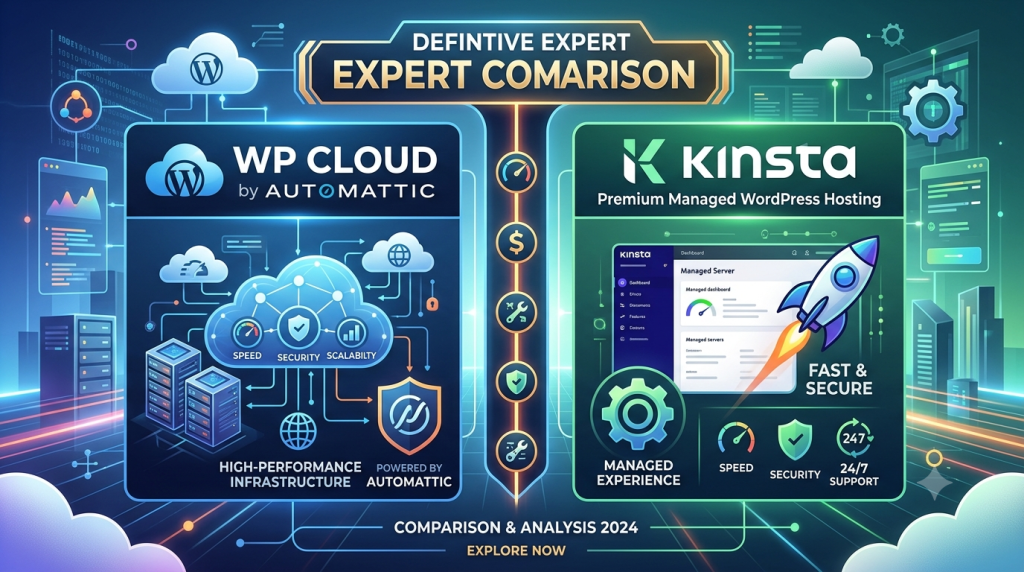
The Definitive Expert Comparison
WordPress-native infrastructure from the makers of WordPress itself, against the gold standard of Google Cloud managed hosting. Every dimension compared — architecture, performance, pricing, support, scaling, and security.
What You Are Actually Comparing
On the surface, this is a comparison between two premium managed WordPress hosts. Beneath the surface, it is something more structural: a comparison between two fundamentally different philosophies about what WordPress hosting should be.
Kinsta represents the first-generation managed hosting model perfected: take world-class cloud infrastructure (Google Cloud Platform’s C3D virtual machines), apply deep WordPress-specific management tooling, engineer a beautiful dashboard, and deliver an exceptional managed product. Kinsta executes this model better than almost anyone.
WP Cloud — accessed most directly through Pressable, Automattic’s wholly-owned hosting brand — represents a second-generation thesis: what if the infrastructure itself were built from scratch for WordPress, by the organisation that has hosted WordPress at internet scale longer than anyone else? Not managed hosting on top of general-purpose cloud, but a PaaS whose every architectural decision was made with WordPress as its only customer.
Both are genuinely excellent. The question is not which is better in the abstract — it is which fits your specific requirements. This comparison gives you the information to answer that question with confidence.
Architecture: The Core Difference
- Purpose-built WordPress PaaS — no adaptation from general cloud substrate
- Linux namespace + cgroup container isolation per site — security and resource control at the OS layer
- 4-origin geo-redundant cluster with automatic real-time failover
- Four-layer caching: Edge Cache → Batcache (Memcached) → Persistent Object Cache → OPcache
- Burst scaling to 100+ PHP workers per site — automatic, not on request
- 28+ global CDN PoPs including African edge nodes
- Institutional architecture — same infrastructure runs WordPress.com since 2019
- Google Cloud Platform C3D VMs — the fastest GCP compute generation available
- Container-based isolation — each site runs in its own isolated environment
- 37 global data centre regions — the broadest geographic coverage of any managed WP host
- Cloudflare Enterprise CDN bundled — 300+ global PoPs including Nairobi edge
- Redis object caching included — critical for WooCommerce session handling
- PHP workers fixed per plan tier — higher tiers unlock more workers
- 68ms median TTFB — among the fastest independently benchmarked in 2026
The Critical Architectural Distinction
Kinsta runs WordPress on top of Google Cloud. WP Cloud runs WordPress inside infrastructure that was engineered to be WordPress. The practical difference shows most clearly in two scenarios: traffic spikes (where WP Cloud’s automatic burst scaling outperforms Kinsta’s fixed PHP worker allocation) and failover (where WP Cloud’s 99.999% five-nines SLA versus Kinsta’s 99.9% SLA reflects a four-origin redundancy model versus GCP zone-level redundancy).
Kinsta’s advantage is its hyperscaler foundation. Google Cloud C3D machines deliver raw compute performance that is measurably faster at baseline — Kinsta’s 68ms median TTFB is the product of superior raw hardware. For sites operating below their PHP worker ceiling, Kinsta is often faster on a per-request basis than Pressable. Above the ceiling — during traffic spikes — the burst scaling architecture of WP Cloud becomes the decisive factor.
WP Cloud’s 99.999% uptime commitment (less than 6 minutes downtime per year) versus Kinsta’s 99.9% SLA (up to 8.7 hours per year) reflects genuine architectural differences. WP Cloud operates four origin data centres with automatic real-time failover. Kinsta relies on GCP zone redundancy. Both are excellent — but the five-nines figure from WP Cloud is backed by a multi-origin failover mechanism that Kinsta does not replicate.
Performance & Speed
| Metric | WP Cloud (Pressable) | Kinsta | Edge |
|---|---|---|---|
| Median TTFB (2026 benchmarks) | ~205ms (origin); ~30ms cached | 68ms origin median | Kinsta |
| Static asset response time | 5.2ms avg · 12ms p95 | Competitive at CDN edge | WP Cloud |
| Full page load (GTmetrix) | ~1.5 seconds (optimised) | ~1.2 seconds (optimised) | Kinsta |
| Under traffic spike (p95 load) | Fastest p95 (Load Storm tests) | Degrades at PHP worker ceiling | WP Cloud |
| Uptime SLA | 99.999% (five-nines) | 99.9% SLA / 99.99% typical | WP Cloud |
| CDN global PoPs | 28+ (Jetpack CDN) | 300+ (Cloudflare Enterprise) | Kinsta |
| African CDN coverage | ✓ Nairobi, Lagos, JNB, CPT | ✓ Nairobi via Cloudflare | Tie |
| Origin data centre regions | 4 geo-redundant origins | 37 GCP regions | Kinsta |
The performance verdict is nuanced and load-dependent. At baseline with no traffic spike, Kinsta’s Google Cloud C3D hardware produces lower origin TTFB. At high load — when multiple simultaneous PHP workers are required — WP Cloud’s burst scaling architecture means Pressable actually leads independent load-testing benchmarks at the 95th percentile. If your site receives steady-state traffic well within its plan allocation, Kinsta is likely faster in practice. If your traffic is spiky or seasonal, WP Cloud’s architecture handles the variance more gracefully.
Scaling & Traffic Spikes
This is the single most significant practical difference between the two platforms for high-traffic sites, e-commerce stores, and media publishers.
- 5 base PHP workers per site included on all plans
- Automatic burst scaling to 100+ PHP workers during traffic spikes — no manual intervention
- cgroup resource controls prevent any single site from monopolising shared infrastructure
- No overage charge for PHP worker burst — scaling is a platform feature
- Geo-redundant origin failover protects against infrastructure-level failures during peak load
- Architecture was built for WordPress.com’s traffic volumes — proven at genuine internet scale
- PHP workers fixed per plan tier — entry plans include 2 workers
- Worker limits are a historically noted pain point for Kinsta users at lower tiers
- Upgrade required to unlock more PHP workers — manual plan change
- Overage fees apply when monthly visit allocations are exceeded ($1 per 1,000 extra visits)
- Cloudflare Enterprise CDN mitigates origin load for cached content significantly
- GCP C3D infrastructure handles worker threads extremely efficiently at allocated levels
Kinsta’s low PHP worker count at entry-tier plans is a long-standing and widely reported limitation. For sites that rely heavily on uncached dynamic requests — WooCommerce checkout, membership sites, logged-in user experiences — the 2-worker ceiling at Kinsta’s starter plan can be a genuine bottleneck. WP Cloud’s 5 base workers plus automatic burst to 100+ gives it a structural advantage for dynamic WordPress workloads regardless of plan tier.
Security
| Security Feature | WP Cloud (Pressable) | Kinsta |
|---|---|---|
| Web Application Firewall (WAF) | ✓ Included all plans | Cloudflare Enterprise WAF |
| DDoS Protection | ✓ Platform-level, all plans | ✓ Cloudflare Enterprise |
| Malware Scanning & Removal | ✓ Automatic, included | ✓ Free hack fix guarantee |
| Real-Time Backups | ✓ Real-time, all plans | Daily; hourly as paid add-on |
| Backup Retention | 30 days | 14–30 days (plan-dependent) |
| Jetpack Security (brute force, spam, activity log) | ✓ Bundled free (~$20/mo value) | Not included |
| Site Isolation Architecture | Linux namespaces + cgroups | Container-based isolation |
| SSL / TLS | ✓ Free, all plans | ✓ Free, all plans |
| Third-Party Security Certification | ✓ SHA Certified (May 2026) | SOC 2 compliance |
On security, WP Cloud via Pressable has a meaningful bundled-value advantage. The inclusion of Jetpack Security on every plan — a product that retails at approximately $240 per year — adds real-time backups, brute force protection, spam filtering, and a site activity log that Kinsta does not include by default. Kinsta’s Cloudflare Enterprise integration provides an extremely capable WAF and DDoS layer, and its hack fix guarantee is a genuine safety net. Both are excellent security postures; WP Cloud bundles more of it into the base plan price.
Pricing at Every Tier
The Pricing Analysis
At the single-site entry level, Kinsta ($30/month) is more expensive than Pressable’s Personal plan (~$20.83/month annual). At the 10-site level, Pressable’s Pro plan is significantly cheaper than Kinsta’s equivalent Business tier. Pressable’s overage rate ($1.20/1K visits) is 2.4× higher than Kinsta’s ($0.50/1K) — a critical difference for sites that regularly spike beyond their plan allocation. If your traffic is predictable and consistently within plan, Pressable is better value. If you regularly exceed visit limits, Kinsta’s lower overage rate may offset its higher base price.
One material pricing advantage for Pressable: no renewal price increases. Pressable locks the rate you sign up at. Kinsta does not operate the introductory-versus-renewal pricing common in budget hosting, but some promotional rates do step up. Pressable’s pricing stability is genuinely uncommon in the managed hosting market.
Kinsta charges extra for hourly backups (included in Pressable’s base plans), Redis object caching (included in Pressable via WP Cloud’s Memcached layer), and some performance features. When comparing total cost of ownership rather than headline plan prices, Pressable’s bundled features frequently make it the lower total-cost option for comparable capability.
Developer Tools
| Developer Feature | WP Cloud (Pressable) | Kinsta |
|---|---|---|
| SSH Access | ✓ All plans | ✓ All plans |
| WP-CLI | ✓ All plans | ✓ All plans |
| Git Integration | ✓ All plans | ✓ All plans |
| Staging Environments | ✓ Staging + Sandbox (3 envs per site) | ✓ Staging (1 per site; more on higher plans) |
| Local Development Tool | Studio (WordPress.com local env) | DevKinsta — highly regarded |
| APM / Performance Monitoring | Performance monitoring included | Built-in APM — detailed transaction tracing |
| Dashboard Quality | Clean, agency-focused multi-site UI | MyKinsta — industry-leading developer dashboard |
| API | ✓ WP Cloud partner API + REST | ✓ Kinsta API |
| AI Hosting Management (MCP) | ✓ Pressable MCP — AI-native management | Not available |
Kinsta has the stronger developer tooling story for individual developers: DevKinsta is the best local WordPress development environment currently available, and MyKinsta’s APM and performance monitoring give developers visibility into application-level bottlenecks that Pressable’s dashboard does not match. For agencies managing dozens of sites, Pressable’s multi-site management interface and the three environments per site (production + staging + sandbox) provide a workflow depth that Kinsta’s entry-tier staging does not replicate. Pressable’s MCP integration is a genuinely forward-looking differentiator — no other major managed host currently offers AI-native hosting management.
Support
- 24/7 live chat — avg response time under 4 minutes
- All agents are WordPress specialists — no tier-1 generalists
- Performance monitoring with remediation guidance included
- Hack recovery assistance included as standard
- Free white-glove migrations — staging-first, zero-downtime process
- First contact via automated chat before live agent — slight delay vs Kinsta
- 24/7 live chat — direct to human agent, no chatbot gating
- Sub-2-minute average response time consistently reported
- Support staff are WordPress engineers who debug at application layer
- Hack fix guarantee — team cleans compromised sites at no extra cost
- Slack channel access on higher-tier plans
- Free migrations handled by Kinsta team
Both platforms operate among the best support programmes in managed WordPress hosting. The marginal difference: Kinsta connects users directly to a human agent through live chat, where Pressable routes through an initial automated interface. In independent support evaluations, Kinsta’s response speed is reported slightly faster. Both platforms’ support staff are qualified WordPress engineers rather than generic hosting agents — a critical distinction from lower-tier providers.
Agency & Multi-Site Management
- Automattic for Agencies programme — up to 70% volume discounts
- White-label hosting capability via WP Cloud partner API
- Centralised multi-site dashboard with one-click /wp-admin login
- Three environments per site (production + staging + sandbox)
- Revenue share available for partner referrals
- WHMCS billing integration via PanelAlpha white-label panel
- Free concierge migrations — unlimited sites
- Price locked at signup rate — no renewal surprises to pass to clients
- Agency-oriented plans scaling to 150 sites
- MyKinsta dashboard highly regarded for multi-site management clarity
- Smart Plugin Manager — automated safe plugin update workflow
- Slack integration on Business+ plans
- Co-branding options for agencies
- Free unlimited migrations handled by Kinsta team
- Kinsta API for workflow automation
- 30-day money-back on all plans
For agencies, WP Cloud via Pressable has the structural pricing advantage at scale and the deeper white-label infrastructure story. The Automattic for Agencies programme’s up-to-70% volume discounts make the unit economics at 30+ sites significantly more favourable than Kinsta’s standard tiered pricing. Kinsta’s MyKinsta dashboard is arguably a better day-to-day management experience for agency teams — cleaner, faster, and with more granular per-site controls. The choice often comes down to whether the agency values dashboard quality (Kinsta) or pricing leverage and infrastructure depth (WP Cloud).
WooCommerce
Both platforms support WooCommerce, and both are appropriate choices for e-commerce. The differences are structural rather than categorical.
Automattic owns WooCommerce. WP Cloud is built by Automattic. This means the infrastructure that powers WP Cloud was engineered with WooCommerce’s specific performance characteristics in mind — session handling, cart persistence, checkout concurrency, and the dynamic page generation that WooCommerce requires. No other hosting infrastructure provider has this level of alignment with WooCommerce’s codebase. For high-volume WooCommerce stores, the burst scaling architecture (100+ PHP workers during checkout peaks) is particularly valuable.
Kinsta includes Redis object caching on all plans — a technology that dramatically improves performance for WooCommerce by caching object queries in memory. Redis is particularly impactful for stores with many logged-in users (customers with active sessions and carts). WP Cloud’s equivalent is Memcached-based persistent object caching, which performs the same function but with different technical characteristics. Both are effective; Redis has a slight performance edge for certain WooCommerce workload patterns.
Round-by-Round Scorecard
Kinsta edges ahead overall on the strength of its raw performance metrics, developer tooling depth, global data centre coverage, and support speed. WP Cloud leads on architecture nativity, scaling model, bundled security value, and agency/WooCommerce alignment. The gap is narrow enough that the right choice depends almost entirely on workflow requirements, not quality differences.
Who Should Choose Which
Final Verdict
Two Different Bets on What WordPress Hosting Should Be
Choose WP Cloud / Pressable When
- Burst scaling and uptime SLA outweigh raw baseline speed
- You manage multiple client sites and need pricing leverage
- WooCommerce is central to your business
- Bundled security value (Jetpack Security) matters
- Traffic is unpredictable or event-driven
- You want infrastructure built by the people who built WordPress
Choose Kinsta When
- Lowest possible baseline TTFB is the priority
- Developer tooling depth (DevKinsta, APM) is essential
- Global data centre coverage across 37 regions matters
- Direct, fastest-possible live chat support is required
- Traffic is predictable and overage costs are manageable
- The MyKinsta dashboard experience is a genuine workflow factor
Neither platform is the wrong choice. If this were a boxing match, Kinsta wins on points — narrowly — on the strength of its raw performance metrics, data centre coverage, and developer tooling. But WP Cloud via Pressable is fighting with a structural advantage that matters more and more as traffic scales, as agency portfolios grow, and as WordPress-nativity becomes the genuine differentiator it was always destined to be. Kinsta is the better host for the developer. WP Cloud is the better infrastructure for the business.
Kinsta
Google Cloud C3D · 68ms TTFB · 37 global regions · Cloudflare Enterprise CDN · DevKinsta · Sub-2-min live chat · 30-day money-back
Try Kinsta Free — 30 Days →WP Cloud via Pressable
100+ PHP worker burst · 99.999% SLA · Jetpack Security bundled · Automattic for Agencies · Price-locked renewals · 30-day money-back
Try Pressable — 30 Days →